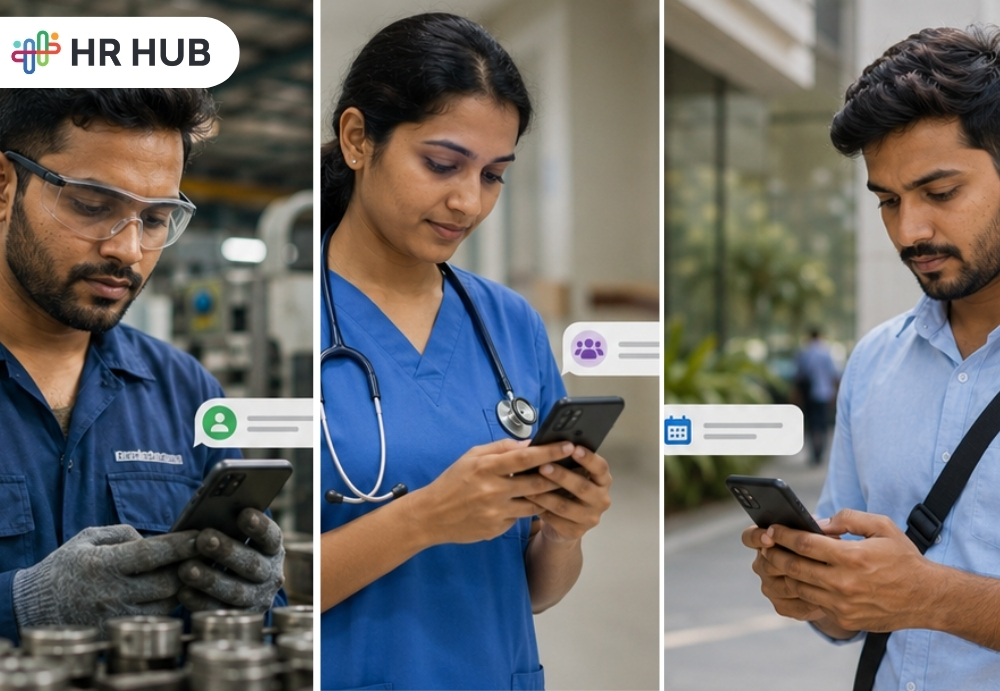
When HR Lives in the Office, Field Employees Feel Miles Away
Imagine this.
It is 8:15 in the morning. A field sales executive is already on the road. A housekeeping staff member has reached the property before most people have opened their laptops. A security guard has completed the night shift and is waiting for the next person to arrive. A technician is standing outside a customer site, checking the address twice because nobody wants to ring the wrong doorbell at 9 AM.
Now, somewhere in the office, HR has sent an important email.
That email may be important. It may include a policy update, an attendance reminder, a holiday notice, a payroll deadline, or shift instructions. But for many deskless and field employees, that email is like a message placed neatly on a desk they never sit at.
This is the real gap.
Deskless employees keep the business moving, but many HR systems are still designed as if every employee works at a computer. That may work for office teams, but it creates daily friction for people working in stores, warehouses, hospitals, hotels, client sites, branches, service routes, and outdoor locations.
According to Gallup's State of the Global Workplace 2026, global employee engagement dropped to 20% in 2025, highlighting the importance of giving every employee, including deskless and field teams, easy access to workplace tools and communication.
An HR mobile app helps fix this gap. It brings HR directly to the employee’s phone, making work updates, attendance, leave, shifts, payslips, requests, and company communications easier to access.
For deskless and field teams, mobile HR is not just a nice feature. It is often the difference between “I did not know” and “I already handled it.”
Why Deskless Teams Need an HR Mobile App That Works Beyond Office Walls
They Are Always Working, Just Not Always Near HR
Deskless employees are the people customers often meet first. They may be delivery staff, retail associates, field technicians, nurses, construction workers, sales teams, drivers, cleaners, security staff, hospitality employees, or support teams working across client locations.
Their work is active, location-based, and time-sensitive. They may not have company laptops. They may not check emails every hour. They may work shifts, weekends, holidays, or rotating schedules. Some may start their workday directly from a site without visiting the office at all.
So when HR expects them to follow the same process as office employees do, things get messy.
- A leave request gets sent through WhatsApp.
- An attendance correction is shared verbally.
- A shift change is passed through a supervisor.
- A payslip question becomes a phone call.
- A policy update is missed because “email check karne ka time hi nahi mila.”
- And honestly, can we blame them?
If employees are managing customers, tools, routes, floors, counters, patients, machines, or site duties, they should not have to chase HR basics like a detective in a crime series.
The Problem Is Not the Employee, It Is the Access
Many businesses assume deskless employees are slow to respond or careless with HR processes. In many cases, the problem is simpler: they do not have the right access at the right time.
- If applying for leave requires a desktop login, a field employee may delay it.
- If attendance correction needs a paper form, the request may get lost.
- If shift updates are posted only in the office, remote-site employees may miss them.
- If payslips are shared manually, HR gets the same question from 40 people at the month-end.
An employee mobile app gives every employee a direct way to stay connected. It removes unnecessary dependencies and gives HR teams a better way to manage people who are not in the office.
How an HR Mobile App Becomes a Pocket HR Desk for Employees
An HR mobile app works like a mini HR desk inside the employee’s phone. It allows employees to handle common HR tasks wherever they work.
- They can check their attendance.
- They can apply for leave.
- They can view shifts.
- They can receive announcements.
- They can access payslips.
- They can submit requests.
- They can upload documents.
- They can track approvals.
- They can view company policies.
- They can raise concerns or support tickets.
For an office employee, these tasks may feel simple. For a field employee, these tasks can reduce repeated calls, office travel, dependence on the manager, and end-of-month confusion.
Mobile HR software is most useful when it fits naturally into the employee’s day. The app should be simple enough that employees do not need a manual just to apply for leave. Nobody wants to attend training just to find out where the “Apply” button is hiding.
A good HR app for employees should feel clear, quick, and practical.
Mobile Attendance Tracking Through an HR App for Employees
Attendance is one of the biggest pain points for deskless teams. In office environments, employees may use biometric devices, access cards, or desktop portals. Field employees do not always have that option.
- A technician may start work from a client location.
- A sales employee may be visiting multiple areas.
- A security guard may report directly to a site.
- A hospitality employee may work across different shifts.
- A delivery employee may spend most of the day on the move.
In such cases, manual attendance becomes unreliable. Registers get misplaced. Messages get missed. Supervisors forget to update records. Employees say they were present. Managers say they were not informed. HR gets stuck in the middle, wondering why attendance feels like solving a mystery.
An HR mobile app can make this easier through mobile attendance such as punch-in and punch-out options. Depending on company rules, the app can support location-based attendance, geo-fencing, selfie punch, shift-based attendance, break tracking, and attendance correction requests.
This gives HR a cleaner record of who worked, where, and when.
Employees Also Get More Clarity
Attendance tracking is not only useful for HR. It also helps employees.
- They can see whether their punch was recorded.
- They can check if they were marked late.
- They can know if a correction request is pending.
- They can view their monthly attendance before payroll is processed.
This reduces salary-related disputes because employees do not have to wait until payday to discover missing punches. They can spot issues early and raise corrections before payroll processing starts.
That is better than the classic month-end scene where HR hears, “But ma’am, I was present that day,” at least 27 times before lunch.
How Mobile HR Software Makes Shift Management Easier for Field Teams
Shift-based work can be tricky. Employees may work mornings, nights, split shifts, weekends, public holidays, or rotating shifts. Managers may need to adjust shifts based on customer demand, employee availability, leave, overtime, or emergencies.
Without mobile HR software, shift updates often move through calls, messages, notice boards, or printed rosters. This creates room for confusion.
- One employee gets the update.
- Another employee misses it.
- Someone reports at the wrong time.
- Someone assumes the old roster is still valid.
- Someone says, “I was not added to the group.”
- Someone else says, “Which group?”
Now the supervisor is managing people, shifts, and a small emotional drama.
An HR mobile app helps make shift communication cleaner. Employees can check their assigned shifts from the app. They can receive notifications when changes happen. Managers can update schedules, approve shift changes, and track availability without calling everyone separately.
Better Shift Visibility Means Better Workforce Planning
For industries such as hospitality, healthcare, retail, logistics, security, manufacturing, facility management, and field services, shift visibility is not a minor matter. If the right people are not available at the right time, service quality can drop quickly.
A mobile app helps managers see who is scheduled, who is absent, who is on leave, and who may need replacement. This helps avoid last-minute panic and gives teams more control over daily operations.
It also helps employees plan their personal time more effectively. When employees can see upcoming shifts clearly, they are less likely to miss updates or depend on verbal reminders.
How an Employee Mobile App Simplifies Leave and Request Management
Leave management can become complicated when employees lack direct access to an HR system. Many deskless employees depend on supervisors to apply for leave on their behalf. Some send messages. Some make calls. Some fill paper forms. Some assume the manager remembered.
Then payroll week comes, and everyone suddenly becomes a historian.
- “I told him on Monday.”
- “No, it was Tuesday.”
- “I sent a message.”
- “Which number?”
- “It was in the old group.”
An employee mobile app helps avoid this confusion. Employees can apply for leave directly from their phone. They can check leave balance, choose dates, add reasons, attach documents if needed, and track approval status.
Managers can approve or reject requests from mobile. HR can see the record clearly. Payroll receives cleaner leave data.
Request Management Becomes Trackable
Leave is only one part of the story. Deskless employees may also need to submit requests for:
- Attendance correction
- Shift change
- Salary letters
- ID cards
- Uniforms
- Equipment
- Travel claims
- Document updates
- Payroll queries
- HR support
- Complaints or concerns
When these requests are handled manually, follow-up becomes difficult. When they are submitted through an HR app for employees, each request gets a proper record, status, owner, and timeline.
Employees do not have to ask repeatedly, “Any update?” HR does not have to search through chats. Managers can respond faster because everything is visible in one place.
How Mobile HR Software Improves Communication with Deskless Employees
Email is useful, but it is not always the best channel for deskless employees. Many field employees may not check their email during work hours. Some may not have official email accounts. Others may miss updates because they are busy on-site.
That does not mean communication should stop.
An HR mobile app gives businesses a more direct way to share announcements, policy updates, emergency alerts, payroll reminders, holiday notices, training updates, and company news.
Push notifications make these updates easier to notice. Employees receive information directly on their phones rather than relying on managers to forward messages.
Communication Feels More Inclusive
Deskless employees often feel disconnected from company culture. Office employees hear updates quickly. They attend meetings. They see notice boards. They talk to HR. Field employees may only receive information when something directly affects their work.
A mobile app can help reduce this gap.
Employees can receive company updates, recognition posts, birthday wishes, work anniversary messages, event notices, and policy reminders. This may sound small, but small things matter when employees work away from the office.
When people feel informed, they feel more included. When they feel included, they are more likely to stay connected with the company.
Employee Self-Service Through an HR Mobile App Reduces HR Follow-Ups
Every HR team knows this situation.
Payslip released?
Leave balance kitna hai?
My punch is missing. What to do?
When is the holiday?
Where can I get my salary letter?
Who will approve my request?
Can you send my payslip again?
These are valid questions, but answering them repeatedly takes time. For companies with deskless or field employees, the volume can become even higher because employees may not have easy access to HR data.
An HR mobile app gives employees self-service access to common information. They can check details without calling HR for every small update.
This saves HR time and gives employees faster answers.
Self-Service Gives Employees More Control
An employee mobile app allows employees to handle many tasks independently. They do not need to wait for office hours, HR availability, or manager follow-up.
They can open the app and get what they need.
This improves the employee experience because people do not feel helpless when seeking basic information. It also makes HR look more organized because processes are not dependent on memory, messages, or manual effort.
For deskless teams, this is especially valuable. They may not visit the office often, but they still need the same access and clarity as office employees.
How Cleaner HR Data from an Employee Mobile App Improves Payroll Accuracy
Managers of deskless employees deal with daily uncertainty. Who has reported today? Who is late? Who is on leave? Which site is short-staffed? Which shift needs backup? Which request is pending?
Without proper tools, managers depend on calls, messages, spreadsheets, and end-of-day updates. By the time they receive the full picture, the issue may already have affected operations.
An HR app for employees can also support managers with mobile approvals, team attendance views, shift schedules, request tracking, and employee updates.
This is helpful because managers are not always sitting at a desk, either. Store managers, site supervisors, regional heads, and field managers are often moving between teams and locations.
Faster Decisions, Fewer Follow-Ups
When managers have access to real-time employee data, they can make better decisions faster.
- They can approve leave.
- They can check who is absent.
- They can review pending requests.
- They can confirm shift coverage.
- They can respond to attendance issues.
- They can support employees without waiting to return to the office.
This reduces back-and-forth communication and helps daily operations run more smoothly.
Payroll Becomes More Accurate When HR Data Is Cleaner
Payroll errors do not usually appear out of nowhere. They often begin earlier in the month.
- A missing punch.
- An unapproved leave.
- A shift change was not updated.
- An overtime entry was not recorded.
- A holiday duty has not been confirmed.
- A manual correction is left pending.
By the time payroll starts, HR and payroll teams are left cleaning up the mess.
Mobile HR software helps capture attendance, leave, shifts, overtime, and approvals in real time. When this data is recorded properly, payroll processing becomes easier and more accurate.
Employees Trust Payroll More When They Can See Their Data
Deskless employees may worry about salary deductions, missing attendance, overtime, or leave adjustments. If they cannot see their records, they may feel unsure about the accuracy of payroll.
An HR mobile app gives them visibility into their own data. They can check attendance, leave, and payslips from mobile. They can raise issues before salary processing instead of after the salary is credited.
This improves trust because employees can see how their work data is being recorded.
For businesses operating across India, the Cayman Islands, the US, and Canada, payroll rules may differ by location. While the mobile app does not replace payroll compliance, it helps collect accurate employee data that payroll teams can use to process payroll more efficiently.
How an HR App for Employees Supports Compliance and Record Management
Deskless workforce management often involves attendance logs, leave approvals, overtime records, policy acknowledgements, employee documents, site updates, and payroll inputs. If these records are managed on paper, via messages, or through verbal approvals, the company may struggle later.
For example:
- Who approved the overtime?
- Was the employee informed about the policy?
- Did the employee submit the document?
- Was the attendance correction approved?
- Was the employee present at the assigned site?
These questions need proper records.
An HR mobile app can create a digital trail for key employee actions. Punches, requests, approvals, uploads, acknowledgements, and updates can be stored with timestamps.
This gives HR better control and helps during internal reviews, audits, employee disputes, and management reporting.
Better Records Support Better Decisions
When employee data is captured properly, HR leaders can see patterns more clearly. They can identify recurring absenteeism, excessive overtime, location-specific attendance issues, delayed approvals, leave trends, and workforce gaps.
This helps businesses make practical decisions rather than relying solely on assumptions.
If your team still depends on spreadsheets, WhatsApp messages, and repeated follow-ups for daily HR work, you may also want to read this detailed guide on the hidden cost of manual HR processes and how they quietly affect time, payroll, and employee trust.
Using Mobile HR Software for Training, Policy Access, and Employee Updates
Deskless employees also need training, policy updates, safety instructions, onboarding material, process guides, and company information. The challenge is that they may not be available for long classroom sessions or office meetings.
An HR app for employees can support mobile-based learning and access to policies. Employees can view short training content, documents, videos, checklists, and acknowledgements from their phones.
This is useful for:
- Safety instructions
- Service standards
- Product information
- HR policies
- Onboarding tasks
- Compliance reminders
- Emergency procedures
- Internal guidelines
The Best Training Is the One Employees Can Access When Needed
A field technician may need safety steps before visiting a site. A retail employee may need product guidelines before serving customers. A security employee may need emergency contact procedures. A new joiner may need onboarding tasks before reporting.
Mobile access makes this information available at the right moment.
It also helps HR track whether employees have read or acknowledged important material. That is far better than saying, “We printed the policy and kept it near the pantry.”
Because let us be honest, many printed policies live a quiet life on notice boards, untouched and unread.
Why WhatsApp and Spreadsheets Cannot Replace a Proper HR Mobile App
Many companies manage deskless teams through WhatsApp groups, calls, Excel sheets, and paper registers. These methods feel quick at first. They are familiar and easy to start.
But as the workforce grows, they become difficult to manage.
- Messages get buried.
- Approvals are hard to track.
- Records are incomplete.
- Employees leave groups.
- Spreadsheets have multiple versions.
- Attendance corrections are missed.
- Payroll inputs become confusing.
WhatsApp is helpful for quick communication, but it is not a complete HR system. A spreadsheet can store information, but it cannot properly manage workflows, approvals, employee access, payroll links, notifications, and audit records.
Growing Teams Need a Proper System
What works for 20 employees may not work for 200. What works for one location may fail across ten branches. What works when one HR person knows everyone personally may break when teams expand.
An HR mobile app provides businesses with a more organised way to manage deskless employees. It keeps employee activity, requests, approvals, attendance, and communication within a single system.
This reduces confusion and makes HR less dependent on personal follow-ups.
Key Features to Look for in an HR Mobile App for Deskless and Field Employees
A good HR mobile app should not feel complicated. Deskless employees need speed and clarity. They should be able to complete common tasks in a few taps.
The app should have:
- Easy login
- Simple dashboard
- Mobile attendance
- Geo-location or geo-fencing support
- Selfie punch option
- Shift schedule view
- Leave application
- Attendance correction request
- Payslip access
- Announcements
- Push notifications
- Document upload
- Request tracking
- Manager approvals
- Policy access
- Training content
- Employee profile access
- Ticket or support request option
- Role-based access
- Multi-location support
- Payroll connection
The goal is not to overload employees with too many screens. The goal is to give them what they need most, in the easiest way possible.
Security Should Not Be Ignored
An HR app for employees handles personal data, salary information, attendance records, documents, and company updates. Security matters.
Businesses should look for proper access controls, secure logins, role-based permissions, privacy protections, and controlled employee data.
Employees should only see what they are allowed to see. Managers should only access relevant team data. HR should have proper control over settings and records.
How HR HUB Helps Businesses Manage Deskless and Field Employees with Mobile HR Software
HR HUB helps businesses manage employees through a connected HR platform that supports both office-based and deskless teams. With mobile access, employees can handle daily HR tasks without depending on desktop access or repeated HR follow-ups.
For field employees, HR HUB can support easier attendance, leave requests, shift visibility, announcements, approvals, payslip access, document management, and employee self-service. Managers can track team availability, review requests, and stay up to date on workforce activity across locations.
This is especially useful for companies with employees working across branches, client sites, shifts, field routes, stores, hotels, hospitals, or service locations. Instead of relying on scattered messages and manual registers, HR HUB gives teams a more organised way to stay connected.
HR teams can reduce repetitive tasks. Managers can act faster. Employees can get the access they need from their phones.
In short, HR HUB helps bring HR closer to every employee, not just those sitting near the HR cabin.
Bringing HR Closer to Field Employees with the Right Employee Mobile App
Deskless and field employees are not away from the business. They are often right at the center of it.
They serve customers. They manage locations. They handle operations. They visit sites. They support daily work. They keep things running when the rest of the company is still checking morning emails.
They deserve HR access that matches their work style.
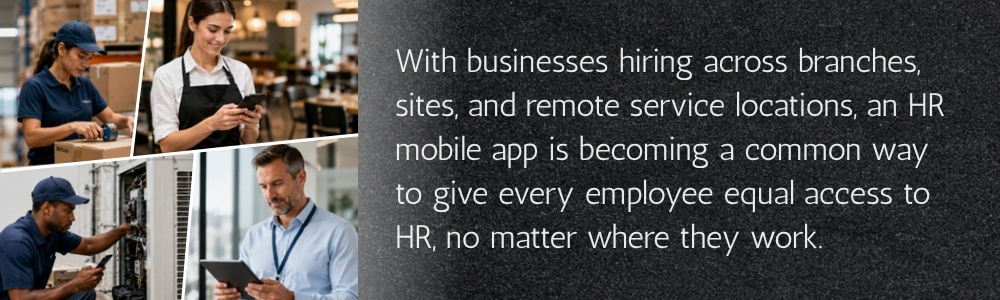
An HR mobile app gives them that access. It helps them stay informed, mark attendance, manage leave, view shifts, submit requests, check payslips, and connect with the company from wherever they work.
For businesses, mobile HR means better visibility, cleaner records, faster approvals, smoother payroll inputs, and stronger employee communication.
For employees, it means fewer follow-ups, less confusion, and more control.
And for HR teams, it means fewer “just checking” calls and more time to focus on work that actually needs human attention.
With HR HUB, businesses can make HR more reachable, practical, and people-friendly for deskless and field employees. Because the future of HR should not be limited to office desks. It should fit inside the hands of the people who keep the business moving every day.