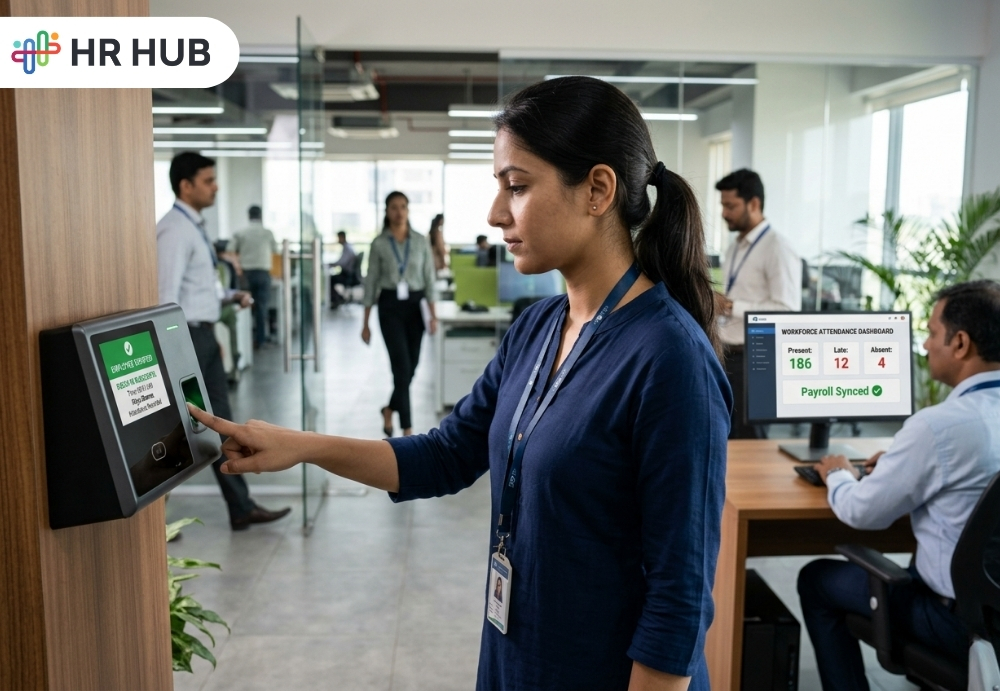
Picture this.
It is Monday morning. The office officially opens at 9:00 AM. The attendance register says everyone is present. The biometric report says most people came in around 9:15. The manager says a few employees were “almost there.” One employee says traffic was terrible. Another says the device did not capture the punch. Someone from the field team marked attendance from a location that looks suspiciously close to their favorite tea stall.
And HR?
HR is sitting with coffee that has gone cold, trying to understand who actually worked, who came late, who forgot to punch, who was on leave, and who deserves overtime.
This is not a rare story. It happens in offices, factories, retail stores, service businesses, hotels, clinics, field teams, and even remote teams. Attendance looks simply until it starts affecting payroll, productivity, fairness, and trust.
That is exactly where attendance management software becomes more than just a digital clock-in tool. It helps businesses stop time theft, reduce attendance confusion, improve productivity, and create a workplace where time is respected by everyone.
Why Attendance Management Software Matters Beyond Late Coming
Most companies do not lose productivity in one dramatic moment. They lose it in small slices.
Five minutes here. Ten minutes there. A missed punch today. A casual early exit tomorrow. A “please mark me present” message in a team chat. A field employee checked in before actually reaching the site.
At first, these things looked harmless. After all, everyone is human. Traffic happens. Meetings run late. Devices fail. Life does not always follow office timing.
But when these small attendance gaps become a pattern, they create a bigger problem. Payroll becomes less accurate. Managers lose visibility. HR gets dragged into repeated corrections. Employees who follow the rules begin to feel frustrated. And slowly, the workplace starts operating on assumptions instead of facts.
That is where time theft enters the picture.
What Is Time Theft?
Time theft happens when an employee is paid for time; they have not actually worked.
Now, before this sounds too serious, time theft is not always a villain-in-a-movie situation. Most employees are not entering the office with a secret plan to steal company hours. Sometimes it happens because systems are weak. Sometimes rules are unclear. Sometimes manual tracking makes it too easy to adjust things later.
Common examples include:
- Marking attendance and starting work much later
- Leaving early without proper record
- Asking a colleague to punch in
- Taking longer breaks without updating time
- Marking field attendance from the wrong location
- Claiming overtime without approval
- Forgetting punches repeatedly and correcting them casually
One or two instances may not damage a business. But repeated across a team, branch, or department, these habits quietly affect payroll cost and productivity.
The tricky part? Time theft often hides behind normal workplace noise. It does not shout. It whispers through wrong attendance records, delayed salary inputs, and “let’s adjust this one time” requests.
Why Manual Attendance Tracking Creates Errors That Employee Attendance Tracking Software Can Solve
Manual attendance looks simple until the team grows.
A small team may manage attendance with registers, spreadsheets, WhatsApp updates, email confirmations, or supervisor notes. But once the business expands across teams, shifts, locations, or remote setups, manual tracking starts behaving like a drawer full of tangled earphones.
You know the data is somewhere. You just cannot use it cleanly.
Manual Records Depend Too Much on Memory
Managers are already handling targets, customers, daily tasks, team issues, and meetings. Expecting them to remember exact attendance details for every employee is not realistic.
Was Ramesh late on Tuesday or Wednesday? Did Priya leave early after approval? Did the night shift employee work overtime or just forget to punch out?
Without a proper attendance tracking system, HR ends up chasing people for answers.
Corrections Usually Happen Too Late
Many attendance issues are discovered during payroll processing. By then, HR must go back through messages, emails, shift rosters, leave records, and manager approvals.
This creates a familiar payroll week drama:
- “Please confirm this missed punch.”
- “Was this employee on leave?”
- “Why is overtime showing?”
- “Who approved this half-day?”
By the time payroll is ready, everyone involved needs a second cup of coffee and possibly a vacation.
There Is No Clear Proof
When attendance is manually updated, disputes become harder to solve.
The employee says they were present. The manager says they were late. The register says something else. The Excel sheet has been edited three times. The final truth is now somewhere between memory and guesswork.
A modern attendance management software removes this problem by keeping proper timestamps, logs, approvals, and attendance history.
How Attendance Management Software Helps Businesses Stop Time Theft
Attendance management software gives businesses a practical way to record, verify, review, and approve employee attendance. It replaces guesswork with clear data.
It does not mean employees are treated like robots. It means the business creates fair rules and applies to them consistently.
It Captures the Real Clock-In and Clock-Out Time
The first step to reducing time theft is knowing when work actually starts and ends.
With employee attendance tracking software, every clock-in and clock-out is recorded with a timestamp. HR does not need to depend on verbal updates or handwritten records. Managers do not need to remember who came when they were.
If an employee clocks in at 9:18 AM, the system records 9:18 AM. If someone leaves at 5:12 PM instead of 6:00 PM, the system captures that too.
This does not mean every minute must become a penalty. Companies can still define grace periods, flexible work rules, or manager approvals. But the base record stays accurate.
And when the base record is clean, payroll and productivity reports become much easier to trust.
It Reduces Buddy Punching
Buddy punching is the office version of “proxy attendance.”
One employee mark attendance for another. In school, it may have been fun. In business, it is expensive.
Time and attendance software helps reduce this through biometric attendance, facial recognition, mobile verification, device-based login, or other identity-based methods. When attendance is linked to the actual employee, it becomes much harder for someone else to mark attendance on their behalf.
This is especially useful for companies with multiple shifts, branch teams, retail counters, factory workers, healthcare staff, hospitality employees, and service teams.
In these workplaces, employees move in and out throughout the day. Without proper verification, buddy punching can easily slip through.
It Supports Location-Based Attendance
For office employees, attendance is usually linked to a workplace. But what about sales teams, service engineers, delivery teams, client-site employees, or remote staff?
That is where GPS attendance tracking becomes useful.
A good attendance tracking system can allow employees to check in from approved locations. Geo-fencing can restrict attendance to a specific office, branch, client site, or work zone.
For example:
- A field employee assigned to a client's site should mark attendance from that location.
- A branch employee should check in from the branch location.
- A remote employee may be allowed to check in from home, based on company policy.
This helps managers trust the attendance data without making endless phone calls like, “Where are you right now?”
It also gives employees a clear process. They know where attendance is allowed, how it must be marked, and when approval is needed.
It Connects Attendance with Shifts
Not every business works on a standard 9-to-6 schedule.
Hotels, restaurants, factories, hospitals, call centers, gyms, spas, cleaning businesses, logistics companies, and security teams often run on shifts. Some employees work early in the morning. Some work nights. Some people work on weekends. Some work rotating schedules that look like a puzzle only HR understands.
Attendance management software helps connect attendance with the assigned shift.
This means the system can identify:
- Late arrival
- Early exit
- Missed punch
- Short hours
- Overtime
- Week-off work
- Holiday work
- Shift mismatch
Without this connection, an employee may appear “present,” but the business may still face a coverage gap. For example, if a front-desk employee arrives two hours late, the system should not simply show present. It should show that the assigned shift was not properly covered.
That is the difference between attendance tracking and useful attendance tracking.
How Attendance Management Software Improves Workforce Productivity
Many businesses think attendance software is only about stopping misuse. That is only half of the story.
The other half is productivity.
Attendance data can tell a business a lot about how work is happening. It can reveal patterns that are otherwise easy to miss.
It Helps Managers See Daily Availability
A manager should not need to send five messages just to know who is present.
With a real-time attendance dashboard, managers can see who is in, who is late, who is absent, who is on leave, and who has missed a punch. This helps them plan daily work better.
For customer-facing teams, this visibility matters a lot. A missing employee at the wrong time can affect service, sales, customer experience, or production.
Imagine a salon with fully booked appointments but two staff members arrived late. Or a healthcare facility where reception staff are missing during morning patient flow. Or a support team where half of the team is unavailable during peak hours.
Attendance of visibility helps managers act before the day becomes messy.
It Reduces HR Follow-Ups
HR teams should not spend half a month asking employees to fix attendance records.
When attendance management software automates clock-in, clock-out, missed punch requests, approvals, and reports, HR gets time back.
Instead of chasing corrections, HR can focus on better workforce planning, employee experience, compliance, engagement, and policy improvement.
In simple words, HR should not have to become a detective for every payroll cycle.
It Makes Payroll More Accurate
Attendance and payroll are closely connected. If attendance records are wrong, salary calculations can also go wrong.
A missed attendance record may reduce salary unfairly. An unapproved absence may be paid by mistake. Overtime may be added without proper review. Leave deductions may not match actual attendance.
When attendance management software connects with payroll, approved attendance data can flow into salary processing. Paid days, unpaid days, overtime, late marks, half-days, and leaves can be calculated more accurately.
This reduces salary disputes and improves employee trust.
Because nothing ruins payday faster than an employee saying, “My salary is wrong,” and HR realizing the attendance data has ten unresolved gaps.
How Employee Attendance Tracking Software Benefits Employees Too
A common mistake business make is presenting attendance software as a control tool. That is the fastest way to make employees uncomfortable.
The better way is to explain how it protects fairness.
Employees Can See Their Own Records
When employees can view their attendance records, they do not have to wait until payroll day to discover an error.
They can check:
- Clock-in and clock-out time
- Late marks
- Missed punches
- Leave status
- Approved corrections
- Overtime records
- Attendance summary
This gives employees more control over their own data.
Rules Become Clearer
In manual systems, employees often feel attendance decisions depend on the manager. One employee may get approval easily. Another may struggle. One department may allow flexible timing. Another may not.
Attendance management software helps apply company rules more consistently.
Grace periods, half-day rules, late coming limits, overtime approvals, and regularization of workflows can be defined clearly. Employees know what to expect. Managers know what to approve. HR gets better records.
Fairness improves when rules are visible.
Genuine Mistakes Can Be Corrected Properly
Employees forget punches. Devices fail. Internet issues happen. Field employees may face travel delays. Remote employees may face power cuts.
A good attendance tracking system does not ignore real-life situations. It allows employees to raise correction requests for reasons. Managers can review and approve them.
This creates a balanced process: flexible enough for genuine cases, controlled enough to prevent misuse.
Why Hybrid and Remote Teams Need a Reliable Attendance Tracking System
Hybrid work has made attendance more complex, especially for companies still learning how to manage remote teams with attendance software.
Earlier, presence was easy to understand. If someone was at their desk, they would be present. Now, an employee may work from home, office, client site, airport lounge, or a café where the Wi-Fi password is written on a chalkboard.
Flexible work is helpful, but it needs a structure.
Employee attendance tracking software helps companies define how remote and hybrid attendance should work. Depending on the business, attendance may be based on login time, mobile check-in, approved location, IP restriction, task reporting, or manager approval.
The goal is not to make remote employees feel watched. The goal is to keep availability clear.
For hybrid teams, attendance software answers simple but important questions:
- Who is working from the office today?
- Who is working remotely?
- Who is unavailable?
- Who started late?
- Who needs approval?
- Is the team properly covered?
When this information is visible, managers can plan better and employees face fewer misunderstandings.
Key Features to Look for in Attendance Management Software
Not every tool that marks attendance is ready for real business use. If your company is growing, you need more than a digital punch button.
Biometric and Mobile Attendance
The system should support biometric attendance, mobile attendance, web attendance, or device-based attendance based on your workplace needs.
Office teams may prefer biometric devices. Field teams may need mobile attendance. Remote teams may need web or app-based attendance.
GPS and Geo-Fencing
For employees working outside the office, location-based attendance is important. GPS attendance tracking and geo-fencing help confirm that employees are checking in from approved locations.
Shift and Roster Management
The software should handle fixed shifts, rotating shifts, weekly offs, holidays, night shifts, and department-wise schedules.
This is especially useful for companies with operational teams, service staff, and multiple work locations.
Leave and Attendance Connection
Attendance and leave should work together. If an employee is on approved leave, the attendance system should reflect it correctly.
This prevents confusion during payroll and avoids unnecessary absence of records.
Missed Punch and Regularization Workflow
Employees should be able to raise missed punches or attendance correction requests. Managers should be able to approve or reject them with proper comments.
This keeps the process clean and traceable.
Overtime Management
The system should track overtime based on company rules. It should separate approved overtime from unapproved extra hours.
This helps businesses control payroll costs and understand workload pressure.
Payroll Connection
Attendance data should connect with payroll, so paid days, unpaid days, overtime, deductions, and leave adjustments are processed correctly.
This reduces manual work and payroll errors.
Reports and Dashboards
HR and managers should get clear reports on late arrivals, absences, missed punches, overtime, department trends, branch attendance, and employee attendance history.
Good reports turn attendance data into useful business information.
Role-Based Access and Audit History
Employees, managers, HR, and admins should have different access levels. Every correction, approval, rejection, and manual change should be recorded.
This protects the company during disputes and internal reviews.
The Hidden Business Cost of Ignoring Attendance Tracking Issues
Some companies delay attendance software because manual tracking “still works.”
But that sentence usually means HR is working extra hard in the background.
The hidden costs include:
- Payroll errors
- Unapproved overtime
- Repeated attendance disputes
- Lower productivity
- Poor shift coverage
- Frustrated managers
- Employee dissatisfaction
- Compliance risks
- Too much HR time spent on corrections
The real cost is not only lost working hours. It is a loss of confidence in the system.
When attendance records are unclear, every connected process becomes weaker. Payroll becomes harder. Leave tracking becomes messy. Managers lose visibility. Employees question fairness.
A proper attendance tracking system helps stop these issues before they become normal.
If your team already uses digital tools but still faces attendance mismatches, missed punches, or payroll confusion, this guide on why attendance management problems still exist in 2026 despite automation explains where the gaps usually begin.
How to Introduce Time and Attendance Software Without Employee Resistance
Rolling out attendance software should not feel like installing airport security at the office entrance.
Employees should understand why the system is being introduced and how it benefits them.
Start with Clear Communication
Explain that the purpose is accurate records, fair payroll, better planning, and fewer disputes.
Avoid presenting it as “we are watching you.” That creates resistance.
A better message is:
“We want attendance records to be accurate, transparent, and easy for everyone to manage.”
Define the Rules Before Going Live
Before the system starts, companies should define rules for:
- Work timings
- Grace period
- Late coming
- Early going
- Missed punch
- Overtime
- Remote attendance
- Field attendance
- Weekly offs
- Holidays
- Leave connection
If rules are unclear, software will only make confusion faster.
Train Employees and Managers
Employees should know how to mark attendance, check records, apply for corrections, and view approvals.
Managers should know how to review attendance, approve requests, monitor patterns, and avoid unnecessary manual changes.
Good training prevents frustration from later on.
Review Reports Regularly
Attendance software should not be used only during payroll week. Managers and HR should review reports regularly to identify patterns early.
A team with repeated late arrivals may need to schedule changes. A branch with high absenteeism may need manager's attention. A department with high overtime may need a workload review.
The data is useful only when someone reads it.
Why Attendance Management Software Is Essential for Businesses in 2026
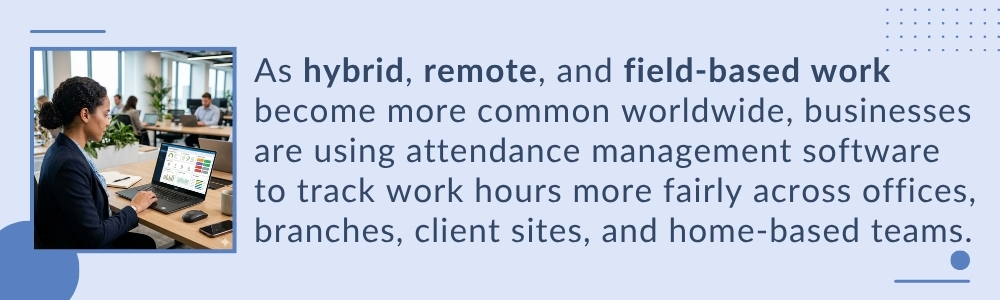
Workplaces are becoming more flexible, more distributed, and more data driven. Businesses are managing office employees, remote workers, field teams, contract staff, and shift-based teams together.
In this kind of work environment, manual attendance tracking cannot be kept up.
Attendance management software helps businesses create a reliable process for recording time, managing exceptions, approving corrections, calculating payroll inputs, and reviewing productivity patterns.
It also helps companies respond faster when they need attendance records for payroll checks, audits, compliance reviews, or employee disputes.
For companies in India, Cayman Islands, the US, and Canada, this matters because workforce rules, employee expectations, and business operations are all becoming more structured. Employees expect transparency. Managers expect real-time data. HR expects fewer manual errors. Leadership expects better productivity.
A modern time and attendance software system brings all of these together.
How HR HUB Turns Attendance Management Software into Workforce Accountability
Attendance is not just about who came to work. It is about how clearly a business understands its workforce.
When attendance is tracked properly, payroll becomes smoother, managers plan better, employees trust the process, and HR spends less time fixing avoidable mistakes. When attendance is tracked poorly, every small error finds a way to appear during payroll week, usually when everyone is already busy.
HR HUB helps businesses manage attendance with better structure, clearer visibility, and stronger control. From employee attendance tracking software capabilities to shift schedules, attendance approvals, leave connection, overtime tracking, payroll inputs, and reports, HR HUB brings attendance into the larger HR process instead of treating it like a separate daily task.
For office teams, remote employees, field staff, multi-location businesses, and shift-based teams, HR HUB helps create a fair and transparent attendance process. Employees can view their records. Managers can monitor team availability. HR can reduce manual corrections. Payroll teams can work with cleaner data.
Time theft may start in minutes, but productivity is also rebuilt in minutes. The right attendance management software helps businesses protect those minutes, use them better, and create a workplace where time is not just recorded, but respected.
People Ask Questions
What is attendance management software?
Attendance management software is a digital tool that helps businesses record employee working hours, attendance, shifts, overtime, and leave in one system. It gives HR and managers a clear view of attendance while reducing paperwork and manual tracking.
How does attendance software reduce time theft?
Attendance software records when employees actually start and finish work using features like timestamps, GPS, or biometric verification. This helps prevent inaccurate attendance records, unapproved overtime, and other practices that can lead to time theft.
Can attendance software reduce buddy punching?
Yes. Attendance software can verify employee identity through biometric devices, facial recognition, or location-based check-ins. This makes it much more difficult for one employee to mark attendance for another.
How does attendance software help payroll?
Attendance software provides verified attendance data that payroll teams can use for salary calculations. It helps calculate paid days, overtime, leave, and deductions more accurately, reducing payroll errors and employee disputes.
Is GPS attendance useful for field employees?
Yes. GPS attendance helps field employees check in from approved work locations instead of the office. It improves attendance accuracy, gives managers better visibility, and supports fair attendance tracking for mobile teams.