Every HR team has had that one moment.
A manager walks in and asks, “Why are people leaving this department?”
Someone from finance asks, “Why did payroll cost increase this month?”
The leadership team asks, “Do we need to hire more people, or are we just not using our current team properly?”
And suddenly, everyone looks at HR.
In many companies, this is where the great spreadsheet hunt begins. One person opens the attendance file. Another checks payroll. Someone else searches through old emails. The recruitment report is in a different folder, the exit interview notes are somewhere else, and the performance data is probably saved as “Final_Report_New_Updated_Actual_Final.xlsx.”
We have all seen that file name. Nobody is proud of it.
This is exactly where HR analytics becomes useful.
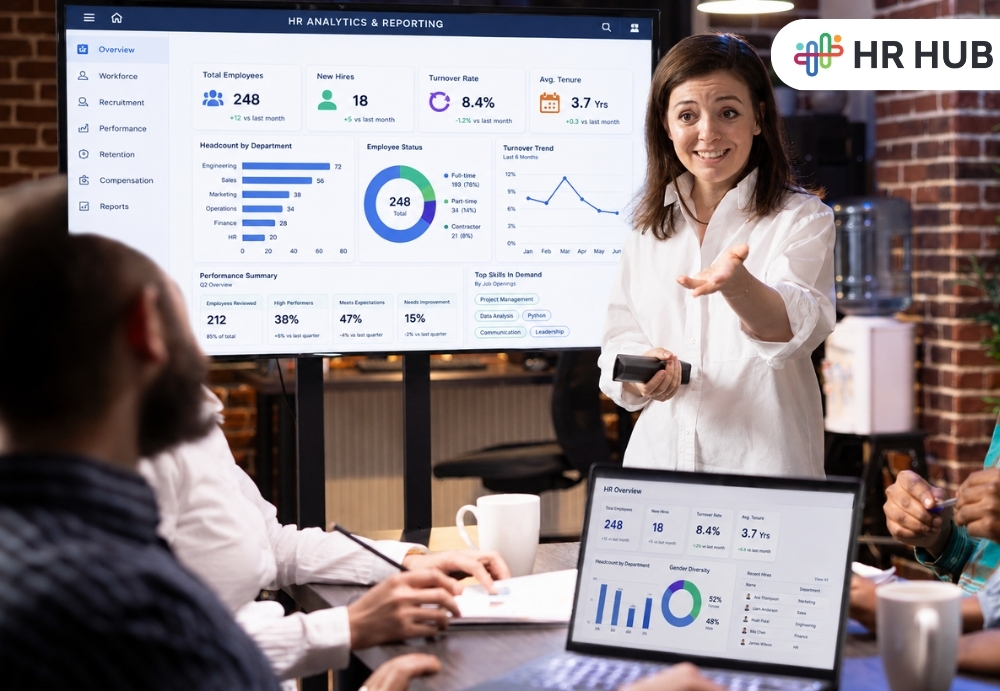
HR analytics helps businesses use workforce data to understand what is happening inside the company. It gives HR teams, managers, and business owners a clearer view of employee trends, workforce costs, hiring gaps, attendance issues, performance patterns, and retention risks.
In simple words, it helps you stop guessing and start making better people's decisions.
What is HR Analytics?
HR analytics is the practice of collecting and studying employee-related data to improve HR and business decisions.
It can include data from:
- Attendance
- Leave
- Payroll
- Recruitment
- Onboarding
- Performance
- Training
- Employee exits
- Workforce costs
- Compliance records
The goal is not to create fancy charts just for management meetings. The real goal is to understand the story behind the numbers.
For example, a report may show that 18 employees left in the last quarter. That is the information.
HR analytics helps answer the deeper questions:
- Why did they leave?
- Were they from the same department?
- Did they have the same manager?
- Did they leave within the first six months?
- Were they overworked?
- Was salary a concern?
- Did they receive proper onboarding?
That is where data becomes useful.
HR Reporting vs HR Analytics: What Businesses Need to Know
HR reporting and HR analytics are connected, but they are not the same.
HR reporting tells you what happened.
For example:
- 12 people joined this month
- 5 employees resigned
- Payroll cost increased by 8%
- Absenteeism was highest in the sales team
- 40 employees completed training
HR analytics helps you understand why it happened and what you should do next.
For example:
- New hires are leaving because onboarding is weak
- Payroll cost increased because overtime went up
- Absenteeism is high because one shift is understaffed
- Training completion is low because sessions are scheduled during peak work hours
HR reporting gives the numbers. HR analytics gives the meaning behind the numbers.
Both are needed. Good HR reporting software should help you create accurate reports and understand patterns in your workforce.
Why Workforce Analytics Matters More Than Ever for Modern Businesses
Today, businesses are not working in a simple format.
Some employees work from the office. Some work remotely. Some work shifts. Some people work across countries. Some are full-time, some are contract-based, and some employees somehow manage to be “on leave” and “available on WhatsApp” at the same time.
For companies in India, Cayman Islands, the US, and Canada, workforce management is becoming more detailed. HR teams need to manage compliance, payroll, hiring, leave rules, performance, attendance, and employee expectations across different work styles.
Without proper workforce analytics, decisions become slow and reactive.
- You find out that people are unhappy after they resign.
- You notice payroll costs are high after finance complains.
- You discover attendance issues after managers start shouting.
- You realize hiring is delayed only when the department says, “We needed this person last month.”
Workforce analytics helps HR teams see these signals earlier.
The Real Power of HR Analytics: Connecting Workforce Data Clearly
Imagine this.
A company notices that one department has high overtime. At first, the manager says, “We are just busy.”
Fair enough. Everyone is busy. Even the coffee machine is under pressure.
But HR checks the data and finds:
- The same team also has high absenteeism
- Two employees recently resigned
- The remaining employees are covering extra work
- Leave requests are being rejected often
- Performance scores are starting to drop
Now the story is clearer.
The problem is not just overtime. It may be understaffing, workload pressure, poor planning, or delayed hiring.
That is the value of HR analytics. It does not look at one report in isolation. It connects attendance, leave, payroll, hiring, and performance data to show the bigger picture.
Key Areas Where HR Analytics Can Improve HR Decisions
1. Hiring Better People, Not Just More People
Recruitment is not only about filling vacancies. It is about finding people who stay, perform, and fit the role.
HR analytics can help track:
- Time to hire
- Cost per hire
- Offer acceptance rate
- Candidate source performance
- Interview-to-selection ratio
- New hire retention
- Hiring manager response time
Let’s say your company is getting hundreds of applications from one job portal, but very few candidates are getting selected. Another source may bring fewer applications, but better hires.
Without analytics, the first source looks successful because the numbers are bigger. With analytics, you know which source is actually giving quality candidates.
This saves time, cost, and a lot of “please find better profiles” messages.
2. Understanding Why Employees Leave
Employee exits hurt more than most companies admit.
When someone leaves, the company loses time, knowledge, productivity, and money. The team also feels the pressure until a replacement joins and settles in.
HR analytics can help identify:
- Department-wise turnover
- Manager-wise exits
- New hire attrition
- Exit reasons
- Average employee tenure
- High performer exits
- Salary and promotion patterns
- Location-wise turnover
For example, if many employees are leaving within six months, the issue may be poor onboarding, unclear job expectations, weak manager support, or a mismatch during hiring.
If experienced employees are leaving after two or three years, the issue may be career growth, compensation, recognition, or workload.
The point is simple: different exit patterns have different reasons. HR analytics helps you avoid treating every resignation like a mystery novel.
3. Spotting Attendance and Absenteeism Patterns
Attendance reports are often treated as routine paperwork, even though they can reveal attendance management problems before they affect productivity and payroll.
Workforce analytics can help identify:
- Frequent absenteeism
- Late coming patterns
- Overtime trends
- Leave usage
- Shift coverage gaps
- Department-wise absence
- Location-wise attendance issues
For example, if absenteeism is always high on Mondays, it may be easy to joke about “Monday blues.” But if the pattern is serious, HR may need to check workload, shift timing, manager behavior, employee burnout, or transport issues.
In industries like hospitality, retail, healthcare, logistics, manufacturing, and security, attendance analytics can directly affect service quality and daily operations.
One missing employee may not look like a big issue on paper. But at the workplace, that one absence can create a chain reaction.
4. Managing Payroll and Workforce Cost
Payroll is one of the biggest business expenses. It is also one area where small mistakes can create big frustration.
Nobody wants to hear, “My salary is wrong.”
HR analytics helps businesses track:
- Monthly payroll cost
- Department-wise salary cost
- Overtime cost
- Bonus and incentive payout
- Leave encashment
- Payroll variance
- Statutory deductions
- Cost per employee
- Salary changes over time
When payroll data relates to attendance and leave data, HR can reduce errors and explain changes more clearly.
For companies working across India, Cayman Islands, the US, and Canada, payroll and compliance rules can vary by region. That makes accurate HR reporting software even more useful.
Good payroll analytics can help answer questions like:
- Why did payroll increase this month?
- Which department has the highest overtime cost?
- Are we spending more because of headcount growth or poor planning?
- Are deductions and contributions calculated correctly?
Payroll should not feel like a monthly suspense movie. Analytics helps bring clarity.
5. Making Performance Reviews More Fair
Performance reviews can become uncomfortable when they depend too much on their opinion.
One manager may rate everyone highly. Another may believe a “5 out of 5” should be given only if the employee personally saves the company from disaster.
HR analytics brings more balance.
It can help track:
- Goal completion
- Rating distribution
- Department-wise performance
- Manager feedback trends
- Training impact
- Promotion readiness
- High performer retention
- Low-performance patterns
For example, if one department gives very low ratings every year, HR can check whether the team is genuinely underperforming or whether the rating style is too strict.
If high performers are leaving, HR can check whether they are getting enough growth, recognition, and fair compensation.
Performance analytics does not replace manager judgment. It simply gives managers and HR better information before making decisions.
6. Improving Learning and Development
Training should not happen just because there is a budget left or because someone found a motivational speaker with a good LinkedIn profile picture.
Training should solve a real business or skill gap.
HR analytics can help track:
- Training completion
- Skill gaps
- Assessment scores
- Training cost
- Employee feedback
- Performance before and after training
- Department-wise training needs
For example, if customer complaints are reduced after a service training program, HR can show that the training worked.
If employees attend training but performance does not improve, the company may need to review the content, trainer, timing, or follow-up process.
Training without measurement is just an event. Training with analytics has become a business tool.
7. Planning the Workforce Before Problems Start
Workforce planning means making sure the company has the right number of people with the right skills at the right time.
This is where workforce analytics becomes very useful.
It can help answer:
- Which departments are understaffed?
- Which roles are difficult to replace?
- Which skills are missing?
- Which employees may retire soon?
- Which teams are overloaded?
- Can we train internal employees instead of hiring externally?
- How many people will we need next quarter?
For example, a retail company in India may need extra staff during festive seasons. A hospitality business in Cayman may need stronger workforce planning during the tourist season. A company in the US or Canada may need to plan for remote teams, compliance needs, or location-based hiring.
Workforce planning helps businesses prepare early instead of reacting late.
Why Manual HR Reports Create Problems for Growing Teams
Spreadsheets are helpful. They are familiar, flexible, and everyone thinks they know how to use them until one wrong formula ruins the entire report.
Manual HR reporting often leads to:
- Duplicate data
- Wrong formulas
- Outdated files
- Missing employee records
- Manual entry errors
- No real-time visibility
- Delayed reporting
- Poor access control
- Difficult audit tracking
- Data security risks
The bigger the company grows, the harder it becomes to manage HR data manually.
HR reporting software helps keep employee data in one system. It allows HR teams to generate reports faster, reduce errors, and give leadership updated information when needed.
Instead of spending hours preparing reports, HR can spend more time understanding what the reports actually mean.
Important HR Analytics Metrics Every Business Should Track
You do not need to track every possible HR metric from day one. Too many reports can confuse people instead of helping them.
Start with the metrics that matter most to your business.
Headcount Metrics
- Total employees
- Department-wise employees
- Location-wise employees
- New joiners
- Exits
- Employee type
Recruitment Metrics
- Time to hire
- Cost per hire
- Offer acceptance rate
- Source of hire
- New hire turnover
Attendance Metrics
- Absenteeism rate
- Late coming trends
- Overtime hours
- Shift coverage
- Leave usage
Payroll Metrics
- Total payroll cost
- Department-wise payroll cost
- Overtime cost
- Payroll variance
- Deductions and contributions
Retention Metrics
- Employee turnover rate
- Exit reasons
- Average tenure
- New hire attrition
- High performer exits
Performance Metrics
- Goal completion
- Rating distribution
- Training impact
- Promotion rate
- Manager feedback trends
The best HR metrics are the ones that help people take action.
A report that nobody reads is just decoration.
If your HR team is still depending on spreadsheets and scattered files, you may also want to read this guide on the hidden cost of manual HR processes and how they quietly affect time, payroll accuracy, and decision-making.
How HR Analytics Helps Leadership Make Better Workforce Decisions
HR analytics is not only for HR teams.
Business owners, CEOs, finance heads, department managers, and operations teams can all use workforce data.
For example:
- Finance can understand payroll cost and overtime trends
- Operations can plan staffing better
- Managers can track team attendance and workload
- Leadership can plan to hire and expansion
- HR can reduce turnover and improve employee experience
- Compliance teams can prepare reports with less stress
When workforce data is clear, conversations become better.
Instead of saying, “I feel this team is overloaded,” you can say, “This team has 28% higher overtime, 15% higher absenteeism, and two open positions.”
That changes the discussion.
Data does not remove the human side of HR. It supports it.
Common Mistakes Companies Make with HR Analytics and Reporting
HR analytics can be powerful, but only if it is used properly.
Here are some common mistakes:
Tracking Too Many Things
Some companies create dashboards with so many charts that nobody knows where to look.
Start simply. Track what helps decision-making.
Using Poor Quality Data
If employee records are outdated, reports will not be reliable.
Wrong department names, missing joining dates, incorrect manager mapping, and outdated salary data can all affect reports.
Looking at Reports Too Late
If HR reports are reviewed only after something goes wrong, they lose much of their value.
Reports should be reviewed regularly.
Ignoring the Story Behind the Data
Numbers need context.
High absenteeism may be due to poor discipline, but it may also be due to workload, health issues, transport challenges, or shift problems.
Analytics should start conversations, not end them.
Not Taking Action
The biggest mistake is creating reports and doing nothing with them.
If the data shows a problem, someone needs to take the next step.
How to Start Using HR Analytics in Your Business
You do not need to begin with complicated dashboards or advanced predictions.
Start with a practical approach.
Step 1: Ask the Right Questions
Start with real business questions.
For example:
- Why are employees leaving?
- Why is overtime increasing?
- Which department needs more people?
- Are we hiring fast enough?
- Are payroll costs increasing for the right reasons?
- Which managers need support?
Step 2: Clean Your Employee Data
Make sure employee details are accurate.
This includes:
- Department
- Designation
- Reporting manager
- Joining date
- Salary details
- Work location
- Employment status
- Leave balance
- Shift details
Clean data makes better reports.
Step 3: Choose Useful Reports
Do not create reports just because the system allows it.
Focus on reports that help HR, managers, and leadership make decisions.
Step 4: Use HR Reporting Software
A good HR reporting software can save time by bringing employee data, attendance, leave, payroll, performance, and recruitment information into one place.
This helps HR teams avoid manual work and get better visibility.
Step 5: Review Data Regularly
Set a regular review process.
Monthly reports can help with payroll, attendance, and hiring. Quarterly reports can help with retention, performance, training, and workforce planning.
Step 6: Turn Reports into Action
Every important report should answer one question:
What should we do next?
If a report does not help anyone take action, it may not be the right report.
What to Look for in HR Reporting Software
When choosing HR reporting software, look for features that make life easier for HR teams and managers.
Useful features include:
- Real-time HR dashboards
- Custom reports
- Attendance reports
- Leave reports
- Payroll reports
- Recruitment reports
- Performance reports
- Employee lifecycle reports
- Department and location filters
- Export options
- Scheduled reports
- Role-based access
- Audit-friendly records
- Data security
For companies working across multiple countries or locations, the software should also support region-specific HR, payroll, leave, and compliance needs.
The right software should not make HR reporting more complicated. It should make it easier to understand.
The Human Side of Workforce Analytics and Employee Data
There is one thing every company should remember.
Employees are not just numbers on a dashboard.
HR analytics should never be used to treat people like data points. It should be used to understand people better.
- If absenteeism is rising, ask why.
- If the turnover is high, listen carefully.
- If performance is dropping, check whether employees have the right support.
- If overtime is increasing, find out whether the team is stretched.
Good HR analytics helps companies notice problems earlier and respond with care.
Data can show you where to look. People will tell you what is really happening.
From Guesswork to Better Decisions with HR Analytics
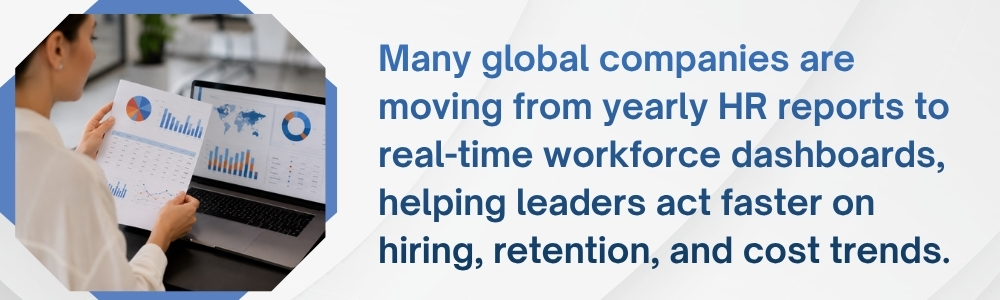
HR analytics helps businesses move from “we think” to “we know.”
It helps HR teams understand hiring, retention, payroll, attendance, performance, training, and workforce planning with more clarity.
For growing businesses in India, Cayman Islands, the US, and Canada, this clarity matters. Teams are becoming more distributed, compliance needs are increasing, and employee expectations are changing. Manual reports and scattered spreadsheets are no longer enough.
This is where HR HUB can help.
HR HUB brings important HR functions such as employee information, attendance, leave, payroll, recruitment, performance, reports, and analytics into one platform. It helps businesses reduce manual reporting work, improve data accuracy, and get a clearer view of their workforce.
With the right HR reporting software, companies can spend less time searching for data and more time making better decisions for their people and businesses.
Because at the end of the day, HR analytics is not about charts.
It is about understanding your workforce before small problems become big ones.