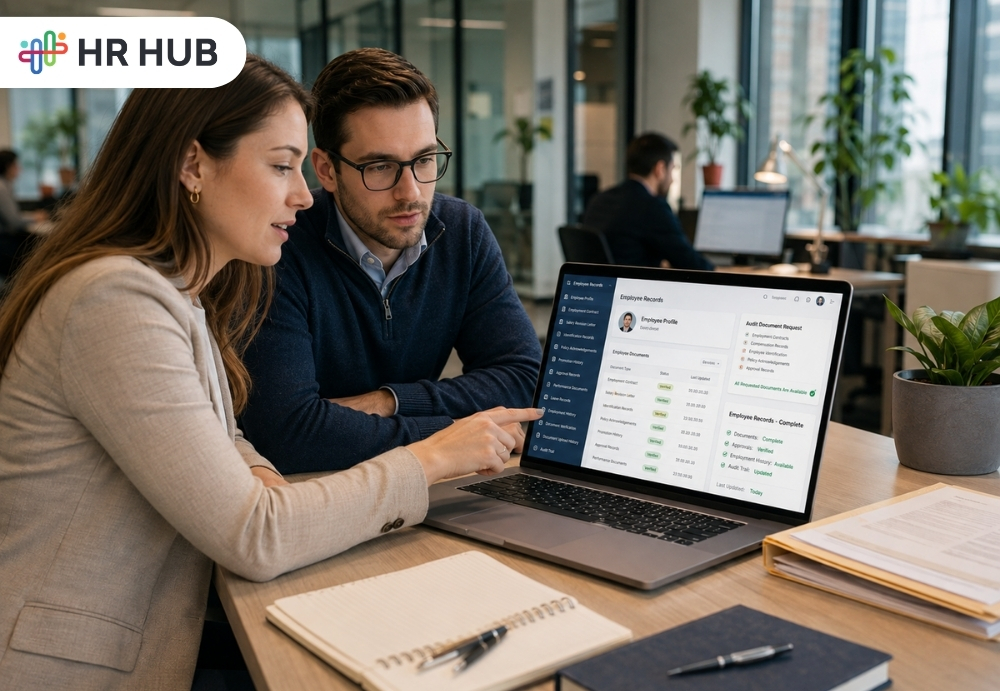
An audit request lands in HR's inbox.
The auditor needs employment contracts, salary revision letters, employee identification records, policy acknowledgements, promotion history, approval records, and documents for a few employees who left two years ago.
How quickly can your HR team provide them?
If the answer involves opening filing cabinets, searching old emails, messaging former HR employees, checking several spreadsheets, or asking, "Does anyone know where this file is?", the problem started long before the audit.
HR audit readiness is not something companies should prepare for a week before an auditor arrives. It starts with how employee information is created, stored, updated, approved, protected, and retrieved every working day.
This is where digital employee records software changes the process. Rather than treating employee documentation as scattered files that HR must collect whenever someone asks for them, companies can maintain structured employee records throughout the employee lifecycle.
Your HR files should not be organized because an audit is coming. They should already be organized.
What Is Digital Employee Records Software?
Digital employee records software is a centralized system used to maintain employee information and employment-related documents electronically throughout an employee's journey with an organization.
Instead of having an employee's information spread across a paper folder, spreadsheet, email inbox, shared drive, and manager's laptop, HR can maintain a structured employee profile containing the information authorized teams need. Depending on the organization, digital employee files may include:
- Personal and contact information
- Offer and appointment letters
- Employment contracts
- Identity and supporting documents
- Job and department information
- Compensation records
- Promotion and transfer letters
- Policy acknowledgements
- Performance-related documents
- Training records
- Disciplinary documentation
- Resignation and exit records
The purpose of employee records management software is not simply to convert paper documents into PDFs.
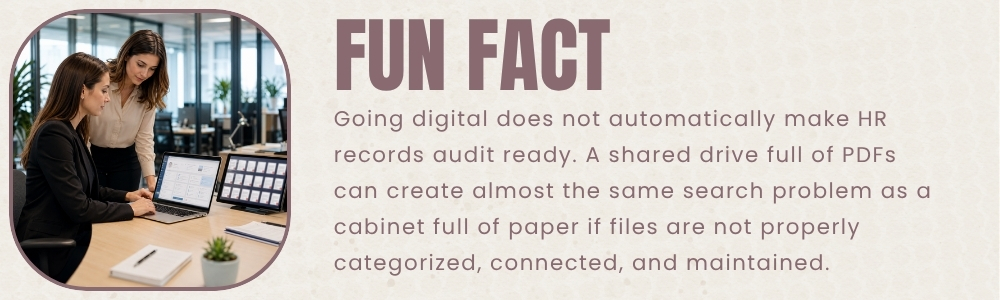
A folder containing 2,000 scanned documents is technically digital, but HR may still struggle to find the right information.
A structured system connects documents with the correct employee, employment stage, approval process, and history. That makes HR records management much easier during everyday operations and when records need to be reviewed.
The reference material from Rolling Arrays makes a similar distinction: audit readiness depends not only on having policies but also on being able to produce complete supporting documents, approvals, and employee records when required.
Digital Employee Files Should Start on Day One
Companies sometimes think about documenting organizations only when their workforce becomes large. Hence, they are already late. An employee's record begins forming before their first working day.
Consider how quickly documents accumulate.
During recruitment and onboarding,there may be an offer letter, identification documents, employment agreement, qualification records, bank information, and policy acknowledgements.
Six months later, the employee receives a salary revision.
A year later, they were promoted.
Then they move to department stores.
They attend training.
Their reporting manager changes.
A policy is updated and acknowledged.
Eventually, they resign and complete an exit process.
One employee can generate dozens of records during their time with a company.
Multiply that by 500 employees.
Now imagine an auditor asking for records from three years ago.
This is why digital employee records software should be treated as an ongoing HR system rather than an audit preparation tool.
What Makes an Employee Record Audit Ready?
Having a document is one thing. Being able to establish that it is the correct document is another. During an audit or internal review, HR may need to answer questions such as:
- Whose document is this?
- Is this the current version?
- When was it added?
- Who approved the change?
- What was the employee's designation at that time?
- Was the required acknowledgement completed?
- Who had access to the information?
Strong employee document management should make those questions easier to answer.
For example, instead of storing a promotion letter inside a generic folder called "Employee Documents," the record can remain associated with the employee's profile and employment history.
The difference becomes clear during an audit. HR is no longer simply producing a file. It produces a record with context.
Paper File Problem Is Bigger Than Storage
Paper files can look organized when they are sitting neatly in labelled cabinets. The problem appears when someone needs information quickly.
- A document may have been filed under the wrong employee.
- A newer version may exist somewhere else.
- Someone may have removed a document and forgotten to return it.
- A manager may have kept the signed copy while HR has the unsigned one.
Paper also makes controlled access harder to manage. The same problem can happen digitally. Moving everything from filing cabinets into shared folders does not automatically create good HR records management.
HR may end up with: Employee Documents > Final > New Final > Latest > Final Updated
Everyone laughs at folders like this until an auditor asks which version is actually valid. Employee records management software helps companies move away from this approach by connecting records with employee profiles and defined HR processes.
Audit Readiness Starts Before the Audit Notice
One of the most useful ideas from both reference articles is simple: companies should maintain audit-ready information continuously rather than assembling it at the last minute. Centralized records, historical information, controlled access, reporting, and audit trails make it easier to respond when information is requested.
Think of the difference between the two HR teams.
Company A: Audit Preparation Mode
The audit is next Monday. HR starts checking employee folders and then requests the missing documents. Managers are asked for old approval. Files are renamed, spreadsheets are reconciled, and someone realizes that a former employee's records are incomplete. Friday evening suddenly becomes very long.
Company B: Audit-Ready Mode
Employee information has been maintained throughout the year. Documents are attached to the correct employee profiles. Changes have a recorded history, and approvals have followed defined workflows. Authorized HR users can retrieve the information they need.
The audit still requires work, but HR is verifying records rather than rebuilding them. That is the practical value of digital employee records software.
What Should Companies Store Digitally?
A useful way to think about digital employee files is by employee lifecycle rather than by random document type.
Before Joining
Store recruitment and pre-employment information that the organization is permitted and required to retain, along with offer and appointment documentation.
During Onboarding
Maintain signed agreements, employee details, relevant identification records, policy acknowledgements, and other required joining documentation.
During Employment
This is where the record grows significantly. HR may need to maintain job changes, compensation revisions, promotions, transfers, training records, performance documentation, approved requests, and other employment history.
During Exit
Resignation records, clearance information, relevant handover documents, final employment records, and other required separation documentation should remain associated with the employee's history.
Good employee document management keeps these stages connected rather than creating unrelated folders every time something changes.
Audit Logs Answer the Question: "Who Changed This?"
An employee's job title was changed six months ago. During an internal review, HR discovers that the employee's current information does not match an older document.
Who made the change? When? Was there an approval?
Without a record of system activity, HR may have very little context. Audit logs can provide a history of actions and changes within an HR system. This makes them particularly useful for HR records management, where traceability can matter as much as the current information itself.
An HR system should help authorized users understand how records changed over time rather than showing only today's version. This is one reason digital employee records software becomes particularly valuable as the number of employees and HR users grows.
Proper Workflow Makes the Record Stronger
Some employee records should not simply appear in the system. They are created because something happened.
- A promotion was approved.
- A transfer was authorized.
- An employee submitted a request.
- The manager reviewed it.
- HR completed the change.
That sequence matters. This is where Workflow & Escalation can support employee records management software. Instead of relying on emails such as:
"Approved."
"Please proceed."
"Okay from my side."
The request can follow a defined approval path. The resulting employee record then has a clearer connection to the process that created it. During an audit or management review, that context can be far more useful than an isolated document.
Employee Self Service Can Keep Information More Current
There is another challenge HR teams regularly face.
- Employee information changes.
- Phone numbers change.
- Addresses change.
- Bank details may change.
- Personal information may need to be updated.
If every update depends on an employee emailing HR and an HR administrator manually entering the information, records can easily fall behind. Employee Self Service can give employees an appropriate route to submit or update permitted information, subject to the organization's approval rules.
This can make digital employee files more current while reducing routine administrative work for HR.
The goal is not unrestricted editing, and it is a controlled way to keep employee information accurate.
Stop Preparing Records Only When Someone Asks for Them
There is a fundamental difference between storing HR records and managing them. Storage says: "We probably have that document somewhere."
Management says: "Here is the employee record, its supporting document, its history, and the relevant process."
That distinction becomes increasingly important as organizations grow.
- With structured HR records management, companies can make record maintenance part of everyday HR work.
- With employee records management software, information stays connected to employees rather than scattered across locations.
- With employee document management, supporting files can remain organized throughout employment.
And with digital employee records software, HR can spend less time hunting for information when an audit, internal review, or management request arrives.
Keep Employee Records Ready Before the Audit
The best time to organize employee records is not when the audit email arrives.
It is every day before it.
HR HUB brings Employee Information, Document Management, Audit Logs, Workflow & Escalation, and Employee Self Service together so HR teams can maintain employee information in a more structured and accessible way.
Keep employee records connected to the people they belong to. Maintain clearer document history. Route HR actions through defined workflows. Give authorized teams easier access to the information they need.
So, when someone asks: "Can you show us the employee record?" Your HR team can focus on reviewing it, not searching for it.
Keep your employee records organized today, so tomorrow's audit does not become tomorrow's emergency.