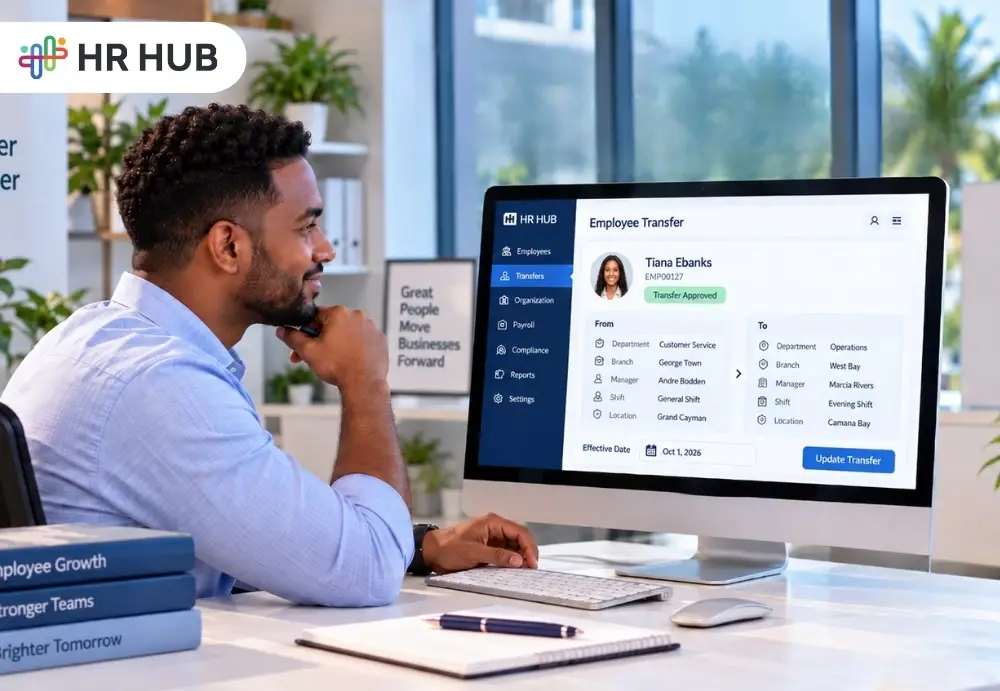
An employee can change jobs without changing companies. Maybe someone from the Finance team will move into Operations. A supervisor transfers from one branch to another.
An employee receives a new designation but remains in the same department. Or a team member starts reporting to a different manager from the first day of next month.
For the employee, the announcement may sound simple:
“Your transfer has been approved.”
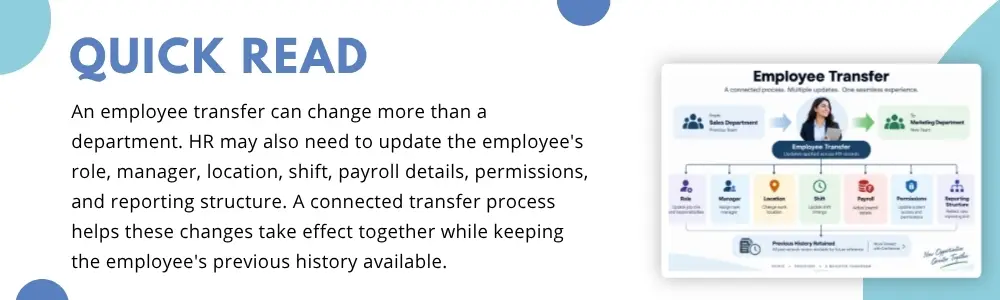
For HR, that sentence can start a much longer list. The department may need to change. So might the designation, reporting manager, work location, shift, payroll information, system access, attendance setup, and reporting structure.
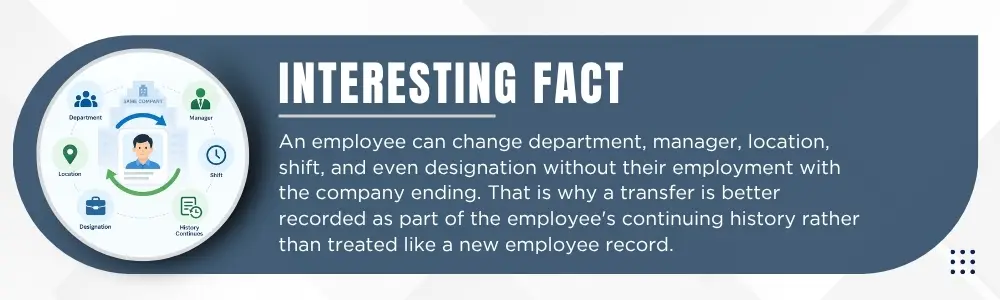
The employee has not left the organization, so HR cannot simply close one record and create another. Their existing employment history still matters.
This is where employee transfer management software can make a difference. It helps HR treat a transfer as a connected employee movement rather than a collection of unrelated profile edits.
Transfer Is One Decision, But Many HR Changes
Imagine that Priya currently works as a Customer Service Executive at Branch A.
Management approves her transfer to Branch B, effective October 1.
Her designation remains the same, but she will report to a different manager, follow a different shift, and work under another branch.
That sounds like one internal employee transfer.
Inside HR operations, however, several records may be affected.
Her employee profile needs a new branch. The reporting manager needs to change. Her shift assignment may need updates. Attendance needs to reflect the correct workplace arrangement. Payroll may need to consider whether the move affects allowances or other applicable components. Reports should show her under the right organizational unit from the effective date.
Start With the Effective Date
The effective date may look like a small field, but it gives the entire transfer context. Suppose HR approves a transfer on September 20, but the employee is moving to the new department on October 1.
Which department should appear on September 25?
The current one.
Which manager should approve attendance or requests before October 1?
The current manager.
Which organizational structure should apply after October 1?
The new one.
This is why employee transfer management software should help HR distinguish between the date a transfer is approved and the date the change becomes effective.
Without that distinction, employee information can be updated too early or too late. That creates confusion not only for HR but also for managers, payroll teams, reporting, and employees.
Department Changes Are Only the Beginning
A department transfer process is often treated as though HR simply needs to replace “Sales” with “Operations” on the employee profile. In practice, a department can be connected to several other pieces of information. In practice, a department can be connected to several other pieces of information.
A new department may mean a new reporting manager. It may come with another designation or cost center. Different teams may work on different schedules. The employee may require access to different workflows, reports, systems, or approval structures.
This is why the department should not be updated in isolation. If the employee profile says Operations, but reports still place the person under Sales, the transfer is only partially complete. Employee movement tracking helps HR look beyond the changed field and follow the wider impact of the move.
What Happens to the Employee's Designation?
Not every transfer changes to a job title. An employee may move from one branch to another while remaining as an Assistant Manager.
Another employee may move from Customer Support Executive to Customer Success Executive.
Someone else may move departments and receive a promotion at the same time.
Each situation requires a different update.
With employee transfer management software, HR can record the new employment details while keeping the move connected to the same employee profile.
That continuity matters.
Six months later, HR should not only see that the employee is currently a Customer Success Executive. It should also be possible to understand how the employee reached that position.
Current information tells HR where the employee is now.
History tells HR how the employee got there.
Both have value.
Reporting Manager Needs to Move With the Employee
One of the easiest transfer details to overlook is the reporting relationship.
Suppose an employee officially moves to Marketing, but their previous Sales Manager remains assigned in the HR system.
What happens next?
Leave requests may reach the wrong manager. Attendance of exceptions could appear in the wrong supervisor's queue. Performance discussions may still be associated with the previous reporting structure. Internal requests could follow an outdated approval path.
A good internal employee transfer therefore needs to consider not only where the employee works but also who is responsible for them after the move.
The new reporting manager should become part of the transfer checklist rather than a separate correction HR discovers later.
Location and Branch Changes Can Affect More Than an Address
Transfers between locations add another layer. A company with several branches, offices, stores, restaurants, factories, or operational sites may have different working arrangements at each location.
An employee moving from Branch A to Branch B could have a different shift, weekly schedule, attendance setup, holiday arrangement, or reporting structure.
That makes location an important part of the employee transfer process.
The employee's current workplace should be easy to identify, but the organization may also need to know where that employee worked previously.
This becomes particularly useful when HR reviews workforce distribution, historical staffing, transfers between locations, or employee progression.
Do Not Forget the Shift and Attendance Setup
Imagine an employee moves from an administrative team working 9:00 AM to 5:00 PM into an operational team working scheduled shifts.
- HR updates the department.
- HR updates the manager.
- HR updates the location.
- But nobody changes the shift.
On the employee's first day in the new team, attendance may still be interpreted using the previous working arrangement. This is where a half-completed department transfer process starts creating problems outside the employee profile.
The transfer should prompt HR to check whether the employee's schedule, shift assignment, attendance rules, or related working-time setup also needs to be changed.
Connected employee movement tracking can help HR see a transfer as an operational event with several related updates rather than a single profile amendment.
Could the Transfer Affect Payroll?
The transfer affects the payroll may sometimes not be, sometimes definitely.
A transfer may involve a new salary, location allowance, shift-related payment, department-specific benefit, cost center, or another payroll-related change.
That does not mean every transfer requires payroll modification. It means payroll should be checked.
For example, if an employee moves to a night-shift role, the organization may have a relevant shift allowance. If someone moves to another location, an applicable location-based component may change. A promotion combined with the transfer may come with a salary revision.
The employee transfer process should therefore give HR a clear point to ask:
Does this movement affect the employee's pay or payroll setup?
If yes, the change should follow the correct effective date and authorization. This is another reason employee transfer management software becomes useful.
Employee Information, organizational details, Attendance, Payroll, and Reporting are connected in real HR operations even when they appear as separate modules on the screen.
Keep the Old Information Instead of Simply Replacing It
This is one of the most important parts of employee movement tracking. Suppose an employee record currently says:
- Department: Finance
- After the transfer, HR changes it to:
- Department: Operations
If the old value simply disappears, the current profile is correct, but part of the employee's history has been lost. A stronger record would make it possible to understand:
- Finance → Operations
- Effective Date → October 1
- Previous Manager → New Manager
- Previous Designation → New Designation, if applicable
This history can become useful when reviewing internal mobility, employee progression, reporting relationships, workforce changes, or past organizational structures.
Centralized employee information is relevant here because bringing employee data into a unified environment can improve consistency and reduce fragmented records across departments.
The goal of employee transfer management software should therefore not be to erase yesterday's information every time today's information changes. It should help HR maintain an accurate current profile and a meaningful history.
What Should a Complete Employee Transfer Process Cover?
A practical department transfer process should look beyond the department itself. HR may need to review the employee's department, designation, reporting manager, location or branch, shift and attendance setup, payroll implications, access permissions, effective date, organizational reporting, and historical record.
Not every transfer will change every item, that is important. A branch transfer may leave the designation unchanged. A promotion may not change the location. A manager's change may happen without any payroll impact.
The value of a structured employee transfer process is that HR checks each relevant area rather than assuming what has or has not changed.
Employee Moved. Their History Should Move with Them.
Employee transfer is a positive sign in many organizations. It can mean a new opportunity, better use of someone's skills, promotion, a branch requirement, a restructuring decision, or simply the next stage of an employee's journey. The administration behind that move should not make it unnecessarily complicated.
Good employee transfer management software helps HR connect the change across the employee's record while preserving where they came from. That means the internal employee transfer becomes more than a department to edit. It becomes a properly recorded employee lifecycle event.
With HR HUB, Employee Information can sit within a broader HR environment that also includes Attendance, Payroll & Compliance, Reports & Analytics, and Employee Life Cycle capabilities.
HR HUB's centralized data approach is designed to bring employee information together, improve consistency, and reduce scattered data.