A company can have 50 employees or 5,000 employees, but one question remains important: Who works with whom, and who is responsible for what?
Employees usually know their immediate manager. HR knows the department. Leadership knows the senior structure. But as teams grow, new roles are added, managers change, and employees move between departments. Understanding the full workforce can become surprisingly difficult.
This is where organizational chart software becomes useful. It turns employee information, departments, designations, and reporting relationships into a structure that people can understand at a glance. Rather than treating an organizational chart as a document that is updated only during major restructuring, companies can use it as a practical reference for everyday workforce decisions.
What Is an Organizational Chart and What Are Its Benefits?
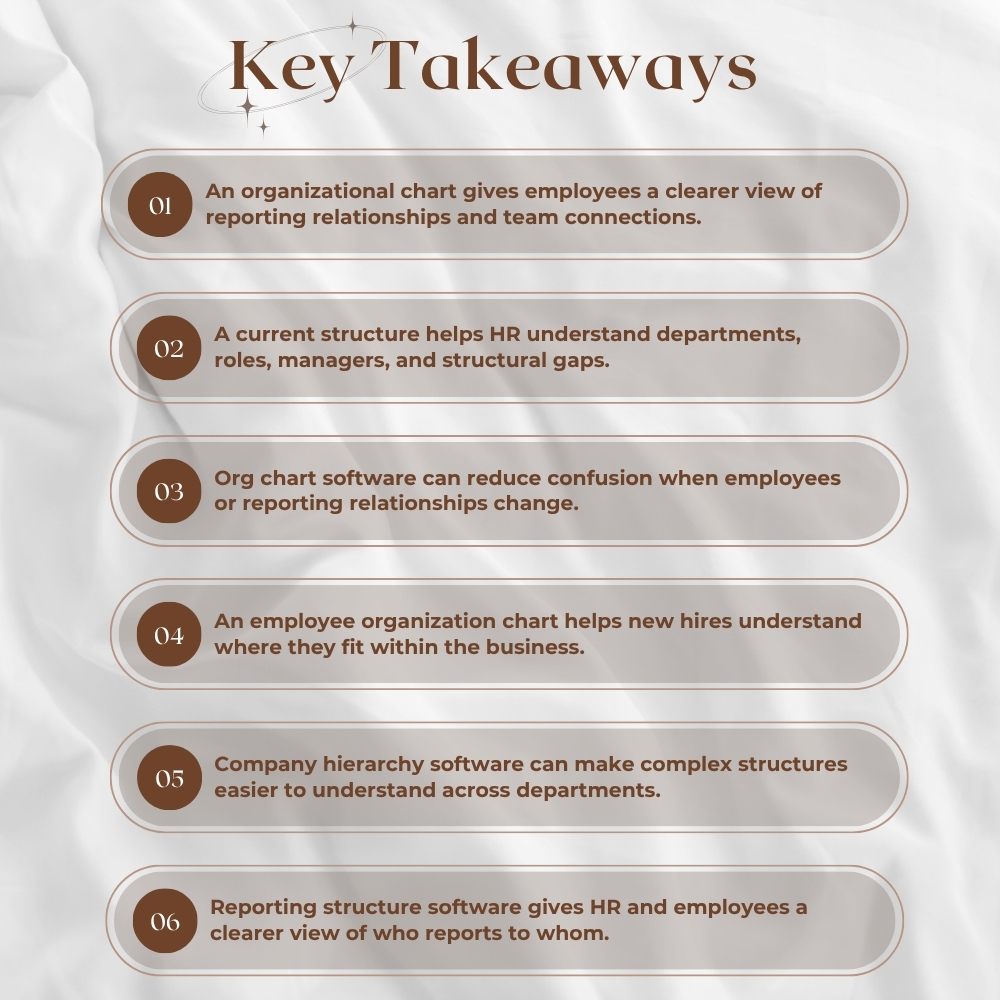
An organizational chart is a visual representation of how a company is structured. It can show employees, departments, positions, managers, and relationships between different parts of the business. At a basic level, it answers questions such as:
- Who reports to whom?
- Which department does an employee belong to?
- Who manages a particular team?
- Which roles sit under a department?
- How are different teams connected?
An employee organization chart can be particularly useful because it moves beyond department names and shows people within the structure. An employee can see their manager, colleagues, and related reporting relationships instead of trying to understand the company through a list of names.
For HR, the value is broader. An organization chart can provide a view of the workforce structure when reviewing staffing, reporting changes, team responsibilities, or department ownership.
Modern org chart software can make this information easier to maintain than a static diagram. HR HUB's Organizational Chart feature provides a broader view of departmental hierarchies and relationships while showing employee-wise reporting lines and role relationships.
Most Employees Know Their Manager, But Do They Understand the Bigger Picture?
Imagine an employee who has been with a company for six months. They know their manager. They know their immediate team. They know who to contact for day-to-day work.
But what happens when they need to work with another department?
They may not know who leads that team, which employee handles a particular responsibility, or where that function sits within the wider company structure.
This is where an employee organization chart can make a difference. It gives employees a visual reference instead of asking them to learn the company's structure through informal conversations.
For a new employee, the benefit can be even clearer. During the first few weeks, there are already many names, roles, teams, and processes to remember. Being able to view the structure can help them understand where their position sits and who they may need to work with.
Company hierarchy software can also help employees understand that their team is part of a larger organization. They can see how departments connect and where responsibilities sit across the business.
This does not mean every employee needs access to every organizational detail. Companies can decide what organizational information is appropriate for employees to view.
Why Organizational Structures Become Difficult to Maintain
The organizational chart often starts simple. The department has a manager. The manager has a few direct reports. Each team has defined responsibilities.
Then the business grows. A new department has been created. An employee moves to another team. A manager leaves. Someone is promoted. A new reporting relationship is introduced. A role is renamed. Two teams are combined.
Each change may look small on its own. Together, they can make the company's structure difficult to keep current.
Many companies continue using spreadsheets, presentation files, or manually edited diagrams. These can show the structure at a particular point in time, but they require someone to remember every change and update the chart.
That creates a simple problem: the organization may change faster than the chart.
Org chart software can reduce this gap when the chart is connected to employee and organizational information. Instead of recreating the entire structure after every change, HR can maintain the underlying employee records and reporting relationships.
Organizational Chart is designed to show reporting managers, team connections, department structure, and employee relationships, giving HR a clearer view when teams or reporting relationships change.
How Reporting Visibility Improves Daily HR Decisions
An organization chart is not only useful when someone asks, "Can you send me the latest chart?"
It can support everyday decisions.
Consider a manager who needs to understand where responsibility sits. A clear reporting structure can show the relevant manager, team, and reporting relationships.
Consider HR reviewing a department after a resignation. Seeing the structure can help identify the affected team and reporting relationships.
Consider leadership planning for a new team. Understanding the existing structure can help them see where a new role may fit.
This is where reporting structure software becomes useful. It gives HR and managers a visual way to understand reporting lines rather than relying only on employee lists or individual conversations.
It can also help identify structural gaps. If a team has employees but no clear manager, or if a manager has an unusually large reporting group, the chart can bring the relationship into view for further review.
The chart does not make the decision for HR. It gives HR a clearer picture from which to make the decision.
A good reporting structure for software setup can also help during organizational changes. When a manager changes or an employee moves between teams, HR can review the effect on the surrounding reporting relationships instead of looking at one employee's record in isolation.
This is especially useful in organizations with several departments, multiple management layers, or outsourced and internal teams working within the same structure. Organizational Chart can support multi-layered setups where third-party teams and internal staff coexist within the same hierarchy.
Why Organizational Chart Software Is More Than a Visual Tool
It is easy to think of an organization chart as a picture of the company. Its real value comes from the information behind that picture.
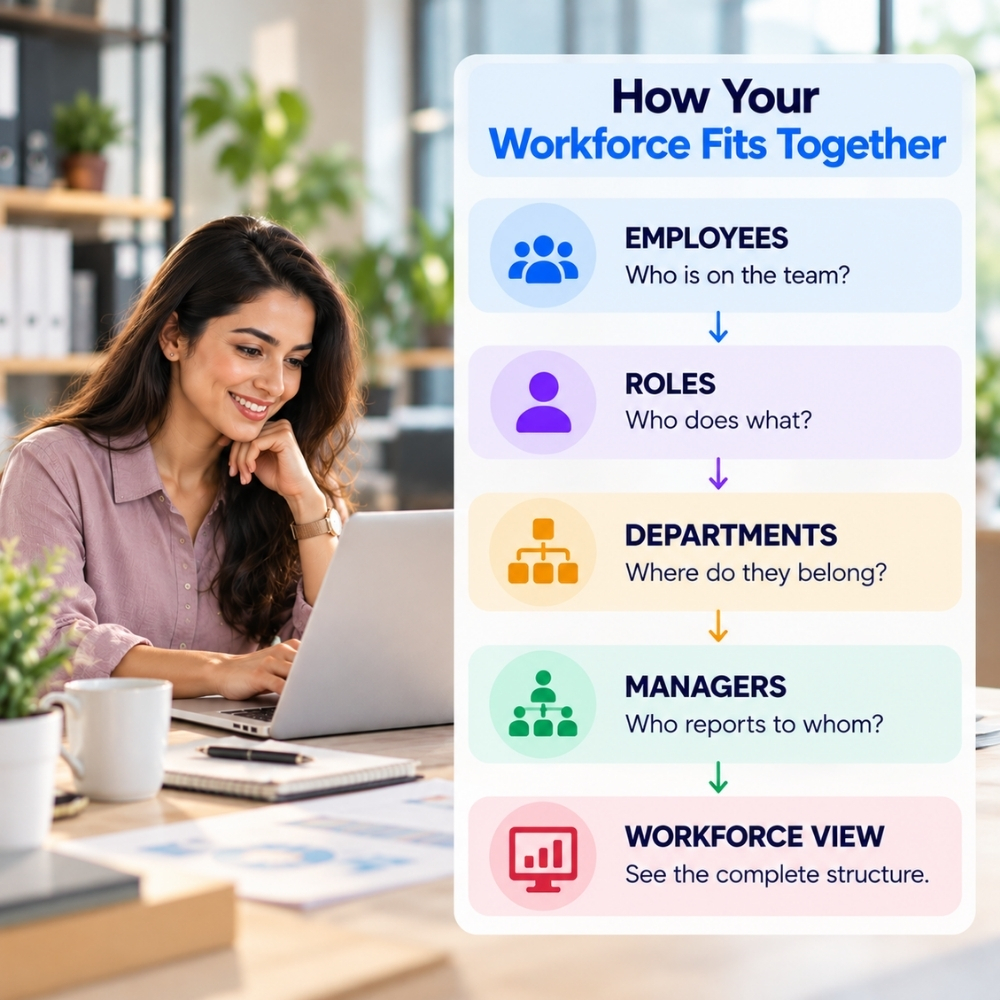
A useful chart connects people with their departments, designations, managers, and reporting relationships. When those relationships are kept current, the chart becomes a reference point for workforce understanding.
This is where organizational chart software moves beyond a static graphic.
It can help employees understand their role, help managers understand team connections, and give HR a broader view of the workforce structure.
For example, suppose an employee moves from the Finance department to Operations. The important change is not simply that a box moves on a diagram. The employee's department, manager, role, and relationships may all change.
A connected system can make those relationships easier to reflect in the workforce structure.
Company hierarchy software is also useful when the organization has multiple layers. A simple list of employees does not show how teams connect. A visual hierarchy can show the relationship between leadership, departments, managers, and individual employees.
For a growing business, company hierarchy software can make discussions about team ownership and reporting relationships easier because HR and managers can refer to the same structure.
This can be particularly useful when a company operates across several locations or has different management levels. The chart can help users move from a single employee record to a wider organizational context.
Helping Employees Understand Where They Fit
Employees do not only need to know what their job title is. They also need to understand where their role is within the organization. An employee organization chart can help answer that question visually. Instead of seeing their position as an isolated role, employees can see their manager, team, department, and related connections.
This can be useful during onboarding, internal transfers, promotions, and reorganizations.
For new employees, the chart can help answer questions that naturally arise during the first few weeks:
"Who manages this team?"
"Who should I contact about this?"
"Which department handles this function?"
"Who works with my manager?"
An employee organization chart can make these relationships easier to understand without requiring employees to ask HR or colleagues for every piece of information.
The same visibility can help existing employees when teams change. A reporting relationship that was familiar six months ago may not look the same after promotions, transfers, or new hires.
A company hierarchy software structure can give employees the context they need to understand those changes rather than simply seeing a new manager name or department name in isolation.
How Companies Can Use an Organizational Chart as a Workforce Reference
The best results come when companies treat the chart as part of everyday workforce information rather than a document created once a year. Here is a simple approach:
1. Start With Accurate Employee Information
The structure depends on the information behind it. Employee names, departments, designations, and managers need to be current.
2. Map Departments and Roles
Group employees according to their departments and roles so the structure reflects how the company actually operates.
3. Define Reporting Relationships
Identify direct managers and reporting lines. This is the part that turns an employee's list into a meaningful structure.
4. Keep Changes Current
When employees are promoted, transferred, reassigned, or when managers change, update the relevant information.
5. Give Employees Useful Visibility
Let employees view the level of organizational information that is appropriate for their role and access rights.
6. Use the Structure for Workforce Discussions
HR and managers can refer to the chart when discussing team responsibilities, reporting gaps, staffing changes, and organizational planning.
This gives reporting structure software a practical role in helping HR maintain a current view of the organization. The chart becomes a current reference rather than a presentation that is only opened during annual planning.
What Can a Clear Organizational Structure Help HR Understand?
A clear structure can answer several workforce questions quickly.
- Team ownership: Which department owns a particular function?
- Reporting relationships: Who is responsible for managing each employee or team?
- Role clarity: Where does a designation sit within the wider structure?
- Department of Connections: How do teams interact with other parts of the organization?
- Workforce changes: What happens to the reporting line when an employee moves, or a manager changes?
- Structural gaps: Are there teams, roles, or reporting relationships that need HR's attention?
These questions may sound basic, but finding the answers becomes harder as an organization grows.
This is why org chart software can be useful beyond the HR department. Managers can use it to understand team relationships, employees can use it to find the right connection, and leadership can use it as one source of workforce structure information.
It also gives HR a more practical way to look at the organization. Rather than reviewing departments, roles, and managers separately, HR can see how those pieces connect.
When Should a Company Consider Org Chart Software?
A company does not need thousands of employees before its structure becomes difficult to manage. Companies considering org chart software may want to look at whether:
- New departments are being created.
- Employees frequently change roles or teams.
- Managers have several reporting layers.
- The business operates across locations.
- New employees need help understanding the structure.
- HR spends time manually updating charts.
- Different teams maintain different versions of the organization's chart.
- Leadership needs a clearer view of reporting relationships.
If the answer to several of these points is yes, maintaining the structure through a static document may become harder than maintaining it through a connected HR system.
The question is not simply whether the company needs a chart. It is whether the company needs a reliable way to understand its workforce structure as the structure changes.
Clearer Structure Creates Better Workforce Visibility
The purpose of an organization chart is not to make a company look organized on paper.
It is to make the company's structure easier to understand.
When employees can see where they fit, managers can understand their teams, and HR can view reporting relationships in one place, everyday workforce conversations become easier.
Organizational chart software can support this by connecting the visual structure with employee information and reporting relationships. Instead of treating the chart as a separate file, companies can use it as part of their broader HR information.
Organizational Chart provides a holistic view of departmental hierarchies and employee relationships, while its employee-wise chart shows roles, reporting managers, team connections, and department structure.
That makes the chart useful for more than presentations. It can help employees understand the organization, help managers see team relationships, and help HR review the workforce structure as it changes.
Understand the People Behind the Organizational Chart Structure
Every company has a structure, whether it is clearly documented or not. The challenge is making that structure understandable and keeping it current as people, teams, roles, and managers change.
An employee organization chart can give employees a clearer sense of where they fit. Company hierarchy software can make multi-level structures easier to follow. Reporting structure software can give HR and managers a clearer view of responsibility and reporting relationships.
When these relationships are connected to employee information, the organizational chart becomes more than a visual diagram. It becomes a practical workforce reference.
If your HR team is still maintaining organizational structures through spreadsheets or manually updated diagrams, it may be time to consider a more connected approach.
HR HUB Organizational Chart helps organizations view departments, employee relationships, reporting managers, roles, and hierarchy in one place. The feature is designed to give HR teams and employees clearer visibility into the structure of the organization.