Hiring someone is only the beginning of the relationship between an employee and an organization.
Once a candidate becomes an employee, a long series of changes begin. Personal information may change. An employee may move to another department, receive a promotion, change managers, move locations, take on a different shift, receive a salary revision, complete a performance cycle, or eventually leave the company.
Each change can look small on its own. The challenge is making sure the right information changes everywhere it needs to.
This is where employee lifecycle management software can play a practical role. Instead of treating employee information as something HR collects once during onboarding, it helps HR maintain that information as the employment relationship develops.
The goal is not to automate every HR decision. It is to make sure that once a decision is made, the employee's records, documents, payroll information, and other relevant processes can keep pace with it.
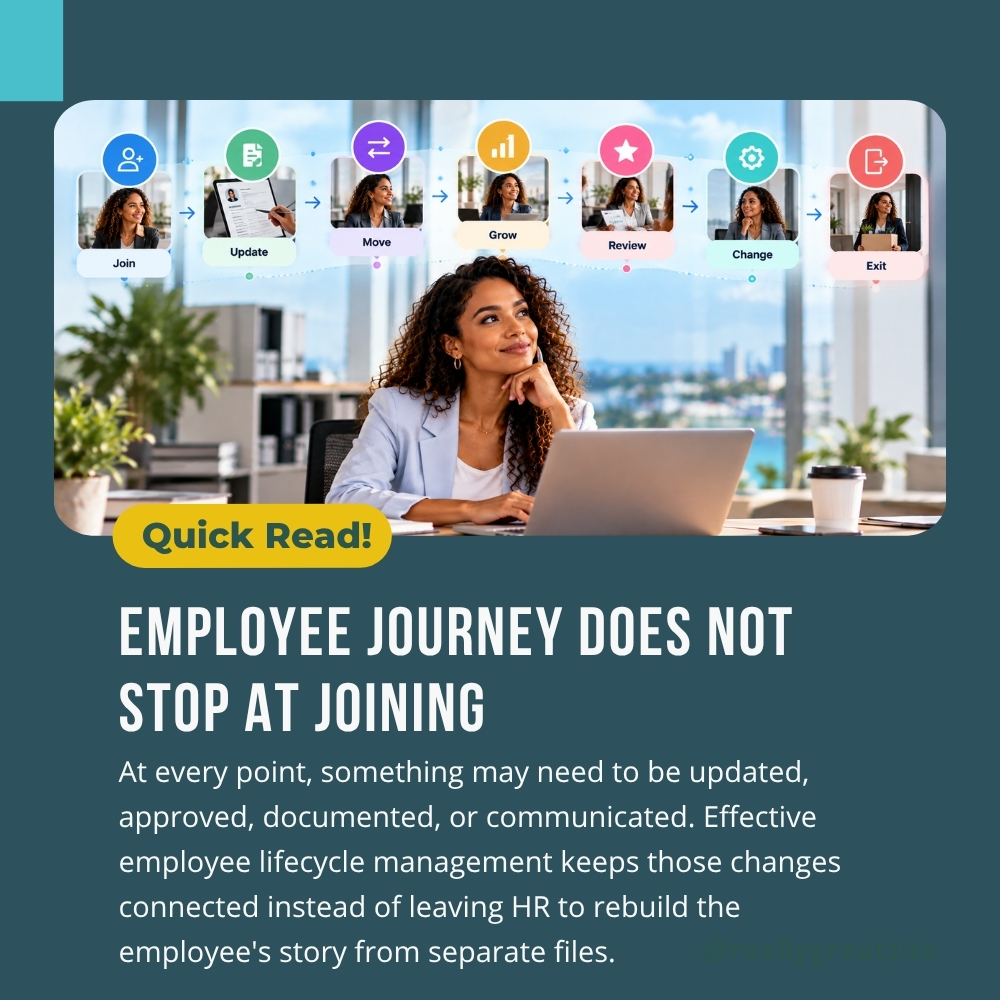
Employee Management Does Not End After Joining
The joining date creates an employee record. It does not finish the administrative work.
After joining, HR may need to maintain information about job titles, departments, managers, work locations, employment status, documents, compensation, attendance, leave, performance, and other employment-related details.
This is where an employee management system becomes useful. Instead of treating every update as a separate HR task, it can provide a connected place for maintaining employee information.
Consider an employee who moves from Sales to Operations.
The transfer may require a department update, a new reporting manager, a revised designation, different shift details, access changes, and potential payroll or attendance changes. If these updates are handled separately, one record can easily be changed while another is forgotten.
An employee management system helps HR maintain a central employee record with connected information across relevant HR processes. The important part is not simply storing more information. It is maintaining the relationship between the information.
What Is Employee Lifecycle Management?
Employee lifecycle management is the ongoing process of maintaining an employee's relationship with an organization throughout their employment.
It covers the changes that happen after someone joins, rather than treating joining as the end of HR administration. For example, an employee may:
- Change departments
- Receive a promotion
- Change reporting managers
- Move to another location
- Change employment status
- Receive a salary revision
- Become eligible for a different benefit
- Change shifts or working arrangements
- Complete a performance cycle
- Submit new documents
- Begin the exit process
The key idea is continuity. An employee lifecycle software approach connects these changes instead of treating them as unrelated transactions, giving employees benefits.
This also changes how the HR employee lifecycle is viewed. It is not simply a collection of stages that HR checks off one by one. It is an ongoing record of how the employee's relationship with the organization changes over time.
Why Employee Information Becomes Difficult to Maintain?
Employee information rarely changes in just one place.
A promotion, for example, may affect designation, salary, reporting manager, department, documents, payroll, and reporting.
A transfer may affect department, work location, manager, shift, attendance, and access permissions.
A personal information update may require supporting documentation.
When these changes are handled through spreadsheets, emails, separate documents, and disconnected systems, HR must remember where each piece of information lives.
That creates a simple but important question:
"Did we update everything?"
An employee management system can reduce this uncertainty by keeping core employee information connected.
The system does not remove the need for HR review. It gives HR a clearer place to record the outcome of that review.
For example, if an employee changes department effective July 1, HR should be able to see the relevant department, designation, manager, and effective date without searching through old emails.
That history matters. Today's employee record should show the current situation while previous changes should remain understandable when HR needs to review them.
How HR Teams Can Create One Connected Employee Journey
The practical role of employee lifecycle management software becomes clearer when HR asks one question: What needs to stay connected when something changes?
Employee Information
The employee's core profile should remain the reference point for employment-related information. Personal details, job information, department, designation, manager, and other relevant fields should not exist as isolated records.
Documents
Employment-related documents should remain associated with the employee. When a role or employment condition changes, HR should know which documents need to be added, replaced, or retained.
Payroll
Changes to salary, department, employment status, or other payroll inputs may have financial consequences. An employee lifecycle software approach can help HR keep relevant employee information connected to payroll processes.
Attendance and Leave
Changes in department, location, shift, or employment status may affect attendance and leave administration. Keeping these records connected helps reduce mismatches between employee information, attendance records, and payroll inputs.
Performance
Performance information should remain part of the employee's broader history. Promotions, role changes, goals, reviews, and development conversations can provide useful context when an employee takes on new responsibilities.
Reports
HR should be able to view the current workforce while still understanding historical changes. This is where connected records become more useful than isolated spreadsheets.
Together, these areas create a clearer HR employee lifecycle and help HR understand not just where an employee is today, but how they reached that point.
How Employee Lifecycle Management Software Helps HR Teams
The value of employee lifecycle management software is not that it makes every HR process automatic. Its value is that it gives HR a consistent way to manage change.
Imagine an employee receiving a promotion.
- HR confirms the change.
- The employee's designation needs to be updated.
- The reporting manager may change.
- Salary information may need revision.
- A new document may need to be stored.
- Payroll may need updated information.
- Reports should reflect the new role.
Without a connected system, HR may need to complete these actions separately and remember every dependency.
With employee lifecycle management software, these related changes can be managed from a connected employee record and routed through the relevant HR processes.
The same principle applies to transfers, status changes, document updates, and exits.
This becomes more useful as the workforce grows. More employees mean more changes, and more changes mean more opportunities for information to become inconsistent.
Keeping Employee Changes Traceable
Current information is important, but history matters too. Suppose an employee has worked in three departments over five years. The current department tells only part of the story. HR may need to understand:
- When the employee moved
- Which department they previously belonged to
- Who they reported to
- When their designation changed
- When compensation changed
- Which documents were associated with those changes
A good HR employee lifecycle process should make current information easy to access without losing the context of previous changes. This can be useful during internal reviews, payroll checks, employee queries, promotions, transfers, and other situations where HR needs to understand how the record reached its current state.
A connected record also gives managers and HR a clearer reference point when an employee's responsibilities change.
The Employee Lifecycle Checklist
HR teams can use this checklist to review whether their processes remain connected throughout employment.
Employee Information
- Personal information is current
- Employment details are accurate
- Department and designation are updated
- Reporting manager is correct
- Work location is current
Changes During Employment
- Promotions are recorded
- Transfers are recorded with effective dates
- Salary changes are reflected
- Shift or work arrangement changes are documented
- Employment status changes are recorded
Documents
- Required documents are stored
- Updated documents are retained correctly
- Access to sensitive documents is controlled
Payroll and Attendance
- Relevant employee changes reach payroll
- Attendance information reflects current employment details
- Leave information remains accurate
Performance and Development
- Performance cycles are recorded
- Goals and review information remain accessible
- Development information is retained where applicable
Exit
- Exit information is recorded
- Required documents are retained
- Final payroll inputs are reviewed
- Employee status is updated
This checklist changes the question from "Did we hire and onboard this person?" to "Can we maintain this employee's information throughout their employment?"
Why Employee Lifecycle Management Becomes More Important as Businesses Grow
A small organization can sometimes manage employee changes through personal knowledge and a few shared files.
That approach becomes harder when the workforce grows. There may be several HR team members, multiple departments, different locations, more managers, and more frequent employee changes.
At that point, an employee management system can provide a consistent reference point that does not depend on one person remembering every update. HR should be able to answer practical questions such as:
- What is this employee's current role?
- Who do they report to?
- Which department are they in?
- When did the change take effect?
- What information needs to reach payroll?
- Which documents are current?
- What has changed over time?
This is where employee lifecycle management becomes more valuable. It gives HR a way to understand employee information as an ongoing record rather than a collection of individual transactions.
From Recruitment to Long-Term Employee Management
Recruitment still matters. It is where the relationship begins.
But once someone joins, the organization has a new responsibility: maintaining accurate information and supporting the employee as their role develops.
That can include onboarding, employee information updates, transfers, promotions, performance processes, payroll changes, documentation, and eventually offboarding.
The focus of employee lifecycle management should be continuity rather than simply counting stages.
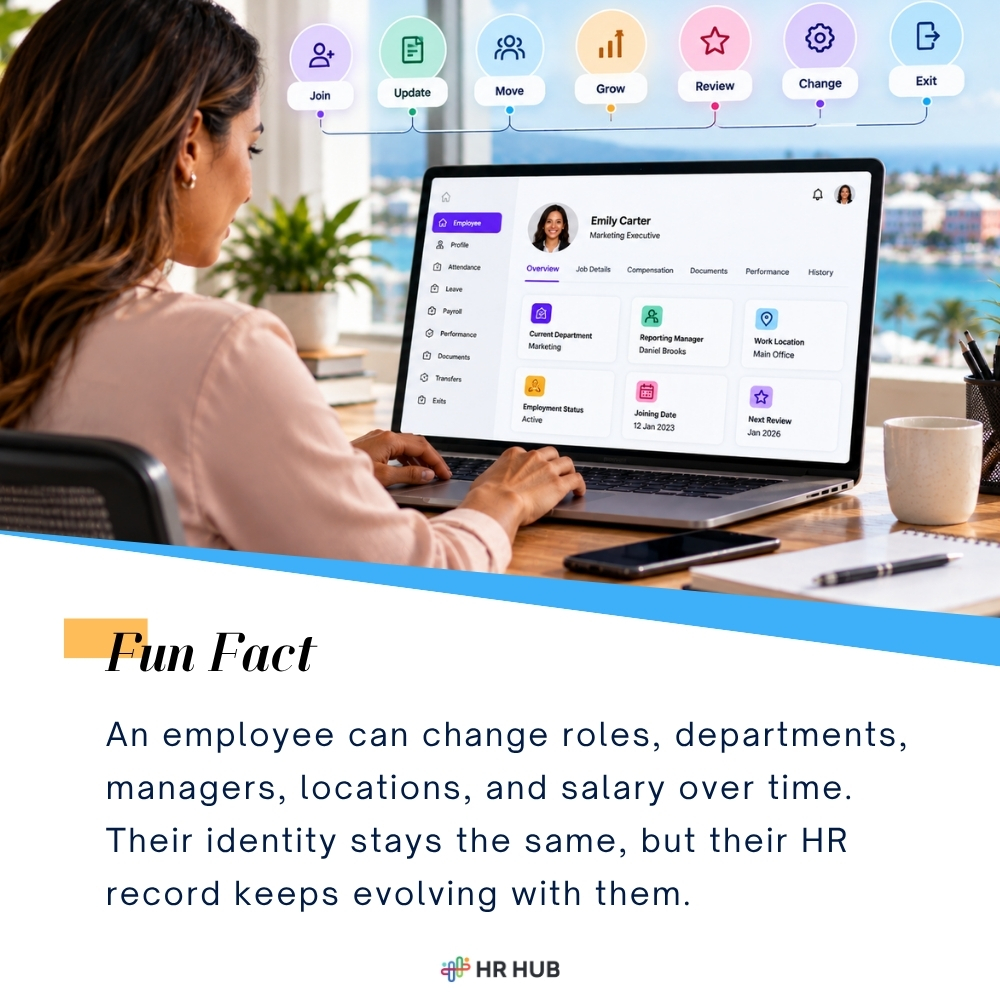
An employee should not become a completely new record every time something changes.
The same employee record should evolve with the person. This is where employee lifecycle software can give HR a consistent way to manage changes while keeping important information connected.
It also creates a clearer relationship between HR, managers, and employees. Employees can interact with relevant HR processes, managers can participate in approvals and updates, and HR can maintain the underlying records.
What Should HR Look for in Employee Lifecycle Software?
Not every HR platform handles employee changes in the same way. When evaluating employee lifecycle software, HR teams should look beyond the number of features and ask whether the system connects the processes that change during employment. Consider whether the platform supports:
- Centralized employee information
- Employee master records
- Document management
- Recruitment and onboarding
- Department and designation changes
- Performance management
- Payroll connectivity
- Attendance and leave
- Offboarding
- Reports and workforce information
The key question is simple: When something changes for an employee, how many places does HR have to update?
If the answer is several disconnected systems, the risk of inconsistent information remains.
If the answer is one connected HR environment with appropriate workflows and controls, HR has a clearer way to manage the employee relationship.
That is the practical value of employee lifecycle management software.
Building a More Connected HR Employee Lifecycle
Good HR administration is often invisible when it works well.
Employees receive the right information.
Managers see the right team details.
Payroll receives the right input.
Documents are available when needed.
HR can understand what changed and when.
That consistency is what effective employee lifecycle management is really trying to achieve.
It is not about adding another layer of administration. It is about reducing the number of disconnected places where important employee information can become outdated.
For growing businesses, an employee management system can provide a central point for managing these changes while allowing different HR functions to work from the same employee information.
HR HUB brings employee information, documents, performance, payroll, recruitment, onboarding, offboarding, and reporting into a connected HR environment.
With employee lifecycle management software, the goal is simple: when an employee's role changes, their HR record should be able to change with them.