Work no longer happens in one place.
Employees may start their day in an office, move to a client's site, work on a factory floor, serve customers in a retail store, support patients in a healthcare setting, or work from home. Yet many HR processes still assume that employees will sit at a desktop whenever they need something from HR.
That creates small points of friction throughout the working day.
An employee remembers they need to apply for leave but must wait until they reach a computer. A field employee notices an attendance issue but cannot report it immediately. A manager receives a leave request while travelling and has to wait until they return to the office before acting on it.
Each situation is small. Across a growing workforce, these small delays can become a regular part of HR administration.
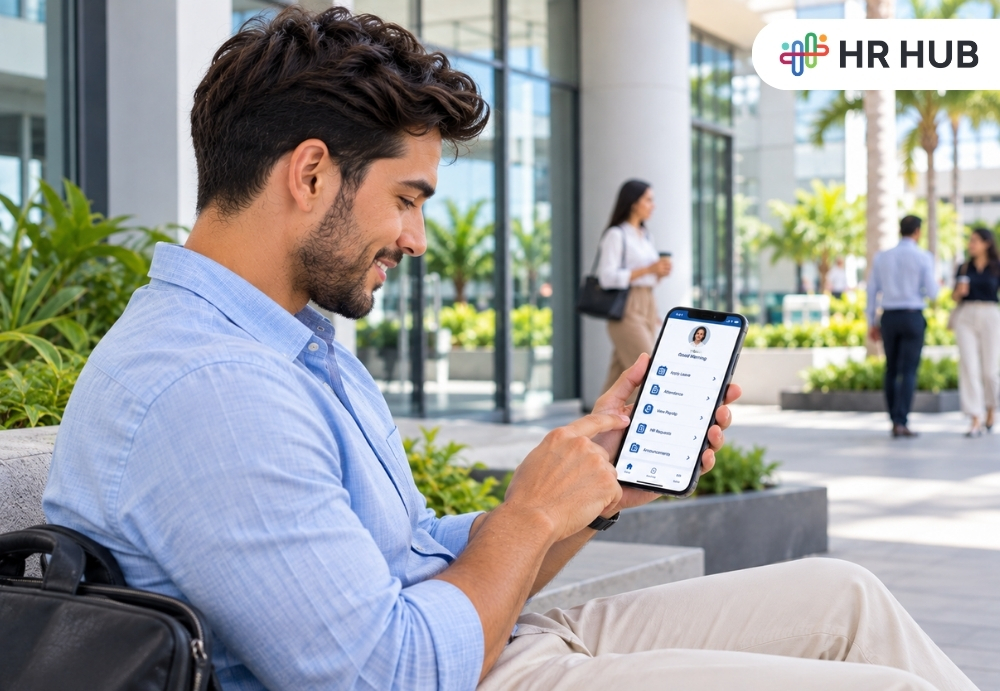
Mobile HR software changes that experience by bringing routine HR services closer to employees. Instead of asking employees to fit HR tasks around a desktop, businesses can give them access to relevant information and actions from a device they already carry.
The goal is not to move every HR process to a phone. It is to make routine interactions easier while keeping HR involved where human review, judgment, or support is needed.
HR Mobile App: What Makes Everyday HR Easier?
A good HR mobile app makes common employee activities available without requiring a desktop. Employees may be able to:
- Check leave balances
- Apply for leave
- View attendance
- Submit attendance correction requests
- Access payslips
- View documents
- Submit HR requests
- Receive company announcements
- Track approvals and updates
This matters because employees do not work in the same environment. An office employee may have a laptop nearby all day. A technician may spend most of the day traveling. A production employee may be on a shift. A sales representative may be visiting customers. A healthcare worker may spend very little time at a desk.
A mobile employee app gives these employees a common way to reach routine HR services. For employees who already use self-service for other workplace activities, the HR mobile app can make access more consistent.
It also helps managers. A manager can review a leave request from a phone, receive an approval alert, or check out a team update without waiting until they return to a desktop.
The value is simple routine HR actions can happen closer to the moment they are needed. A well-designed HR mobile app also gives managers a practical way to respond when they are away from their desks.
Why Employee Experience Is More Important Than Ever
Employee experience is shaped by many small interactions, not only major HR programs.
Consider two ways of checking leave.
- In one, an employee sends an email to HR, waits for a response, confirms the balance, and then submits a request.
- In the other, the employee opens an employee self-service app, checks the balance, selects the dates, and submits the request.
The HR policy may be exactly the same. The experience is not. A mobile employee app can remove unnecessary steps from routine processes while keeping the underlying approval and policy rules intact.
Recent discussions around mobile HR have also highlighted the move from desk-based access to more flexible employee services, particularly for distributed and field-based workforces.
The important point is not that employees should use their phones for everything. It is that they should have a convenient option when a routine HR task does not require a full desktop interface.
Employees Are No Longer Limited to Desktop HR Systems
Desktop HR systems remain useful for detailed administration, payroll work, reporting, employee records, configuration, and other tasks that benefit from a larger screen.
Employees often need a much smaller set of actions. An HR app for employees can provide a focused experience for tasks such as checking attendance, applying for leave, viewing a payslip, accessing a document, or responding to a request.
This is particularly useful for employees who rarely use a company computer.
- A retail employee may be serving customers.
- A technician may be at a customer's location.
- A factory worker may be working the night shift.
- A sales employee may be traveling between meetings.
- A remote employee may work from a personal workspace.
For these employees, returning to a desktop just to complete a simple HR action can add unnecessary friction. Mobile access brings the process closer to where the employee is already working.
HR Tasks Employees Should Complete From Mobile
Not every HR activity needs a mobile version. The most useful mobile tasks are usually routine, repeatable, and easy to understand. For these activities, an employee self-service app can give employees a clear path from seeing information to acting.
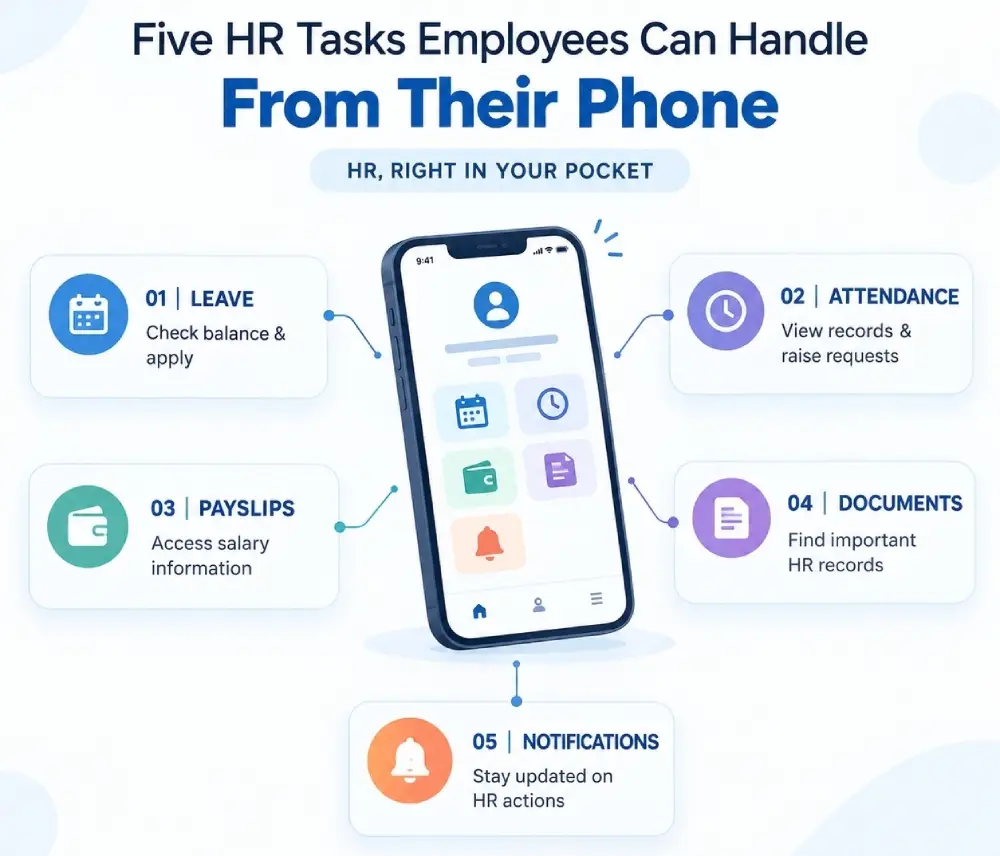
- Leave Requests: Employees can view available leave, select dates, submit requests, and follow approval status. This gives employees more control over routine leave planning while keeping managers responsible for approval.
- Attendance: Employees can view attendance information and, where company policy allows, record mobile attendance or submit correction requests. For employees who work away from a fixed office, mobile attendance can be useful because they may not have access to a traditional attendance device.
- Payslips: Employees often need payslips for personal records, financial applications, salary verification, or other purposes. A mobile employee app can give them access without requiring HR to send the same document repeatedly.
- Documents: Employees may need access to policies, employment letters, forms, or other approved documents. Giving employees controlled mobile access can reduce repeated document requests.
- HR Requests: Employees may need to submit requests about attendance, documents, personal information, or other HR matters. A structured mobile process can help employees submit these requests and follow their progress.
- Notifications: HR updates can lose their value when employees see them too late.
Notifications can alert employees about approval decisions, attendance issues, policy updates, payroll reminders, or other time-sensitive information.
Features That Make a Mobile Employee App Useful
The value of a mobile employee app depends on whether it makes common tasks genuinely easier.
Employee Self-Service
An employee self-service app should allow employees to view and manage information they are authorized to access. The employee self-service app should also make common requests easy to start and follow. This may include personal details, leave, attendance, payslips, documents, and request status.
Attendance and Location Support
For distributed teams, mobile attendance may include GPS or geo-fencing features where appropriate and permitted by company policy.
The purpose should be clear: helping businesses capture accurate attendance while giving employees a practical way to record or review their working time.
Leave and Approvals
Employees should be able to submit requests while managers can review and respond from their phones. This keeps routine workflows moving without requiring everyone to return to a desktop.
Push Notifications
Mobile notifications can keep employees and managers informed when an action is required. Push notifications for mobile users ensure that important alerts can reach employees even when they are away from a desktop.
Documents and Payroll Access
Employees can benefit from controlled mobile access to approved documents and payroll information.
If a simple task requires too many steps, the technology adds friction rather than removing it.
How Mobile HR Software Helps HR Teams
Mobile access is not only about employee convenience.
It can reduce repetitive questions by reaching HR.
Instead of repeatedly answering:
“How many leaves do I have?”
“Can you send my payslip?”
“Did my manager approve my request?”
“Can you check my attendance?”
HR can direct employees to information that is already available to them.
That gives HR more time for activities that require human involvement, including employee relations, workforce planning, policy guidance, compliance, and development of conversations.
Managers also benefit. They can respond to routine requests when they are away from their desks, which can reduce waiting time for employees.
The result is a more practical division of work: employees handle routine access, managers handle approvals, and HR focuses on processes and situations that require expertise.
How an HR App for Employees Can Improve Daily Experience
The value of mobile access is often visible in small moments.
- An employee sees a leave balance before planning time off.
- A manager receives an approval notification while traveling.
- A field employee can raise an attendance correction before the payroll cutoff.
Someone can download a payslip without sending an email. An employee can read an important company update without opening a desktop portal. These moments reduce the amount of time employees spend chasing information.
They also improve transparency because employees can see relevant information and request status themselves. This is where mobile HR software becomes more than a convenience. It gives the employee self-service app a practical role in the wider employee experience.
Making Every day HR Operations Easier With Mobile HR Software
A mobile HR experience works best when it connects to the same employee information and HR processes used by the organization.
HR HUB Mobile App gives employees access to self-service activities, leave, attendance, documents, payroll information, notifications, and other HR services from their mobile devices. Employees can check leave balances, request time off, update personal information, access salary information, and stay connected with workplace updates. HR Hub
For managers, mobile access can help keep routine approvals and employee updates moving while they are away from their desks.
For HR teams, the benefit is a simpler way to give employees access to routine information while keeping the wider HR system connected.
Frequently Asked Questions
1. What is mobile HR software?
Mobile HR software gives employees, managers, and HR teams access to selected HR processes through smartphones and other mobile devices. Common functions include leave, attendance, employee self-service, notifications, documents, payroll information, and approvals.
2. What can employees do through an HR mobile app?
Employees may be able to check leave balances, apply for leave, view attendance, access payslips and documents, submit HR requests, update personal information, and receive workplace notifications.
3. Is a mobile employee app useful for field workers?
Yes. Employees who work at customer locations, factories, stores, hospitals, or other sites may benefit because they do not always have access to a desktop. Mobile access can make attendance, requests, documents, and communication easier to manage.
4. Can employees access payslips from an HR app for employees?
Where payroll access is enabled, employees can view or download approved payslips from their mobile device instead of requesting copies from HR. An HR app for employees can make that access available when the employee actually needs it.
5. Can managers approve leave from a mobile HR app?
A mobile system can allow managers to review and approve eligible requests from their phones. This can reduce delays when managers are away from their desks.
6. Does mobile HR software replace HR?
No. It supports routine activities and information access. HR still handles employee relations, complex requests, policy interpretation, compliance, workforce planning, and situations that require human judgment.
7. Is mobile HR only useful for remote employees?
No. It can benefit office, factory, retail, healthcare, field, shift-based, and hybrid employees. The common benefit is easier access to HR services without depending on a desktop.