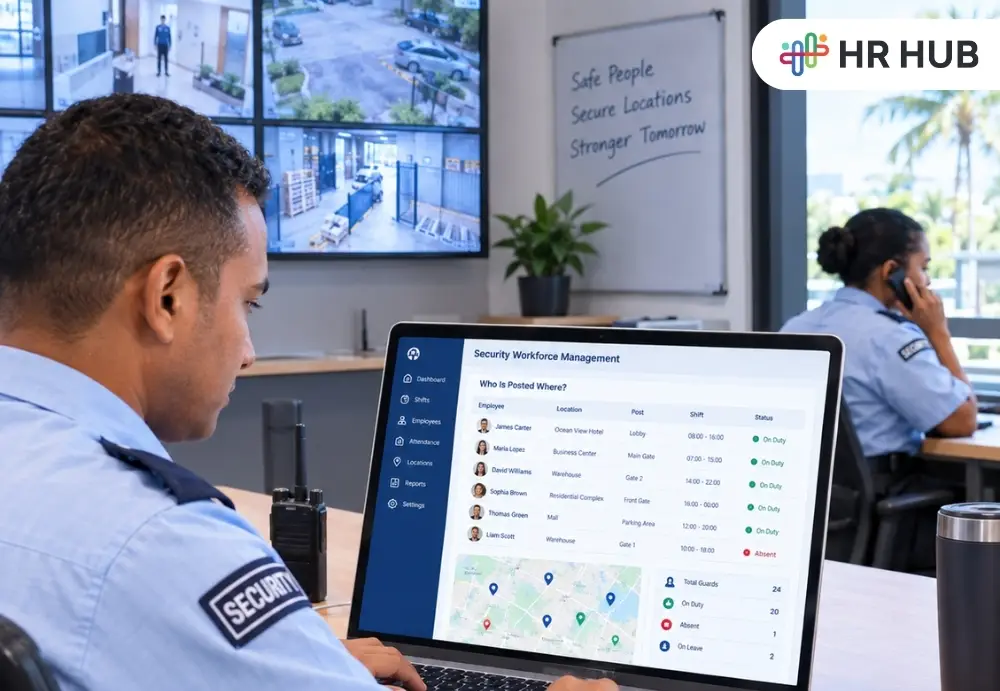
At 7:00 AM, a security company's workforce may already be spread across dozens of locations.
One guard is standing at the entrance of a commercial building. Another is beginning a shift at a residential property. A team is covering a warehouse. Someone else is travelling to replace a guard who is called in sick. Meanwhile, an operations manager is trying to confirm whether every post has been covered before a client call asking where their assigned guard is.
This is what makes security workforce management different from managing a typical office team.
The challenge is not simply knowing who is employed.
Operations need to know who is working, where they have been posted, which shift they are covering, whether they reported there, and what happened if the original plan changed.
That is where security workforce management software becomes useful. Instead of treating scheduling, attendance, employee records, replacements, and payroll as separate activities, it can help HR and operations follow one connected workforce journey from the planned shift to the hours that are eventually paid.
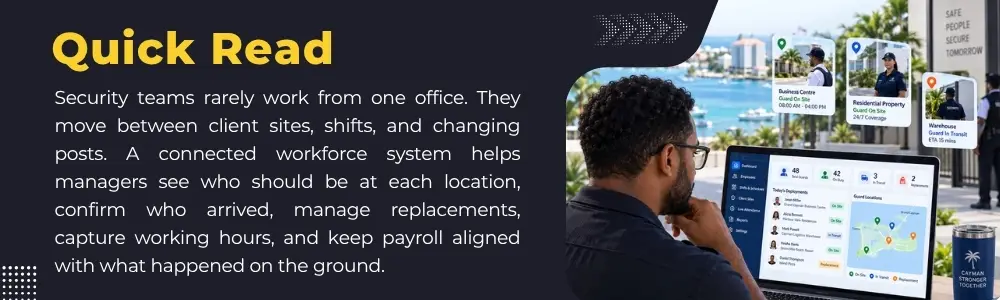
Security Operations Start With One Basic Question: Who Is Posted Where?
Before attendance is checked or payroll is calculated, the first operational task is deployment. A security company may be responsible for multiple client locations, with each location requiring different levels of coverage.
- A small office may need one guard during business hours.
- Residential property may need round-the-clock coverage.
- A warehouse could require guards at separate gates.
- A hotel may need different posts for the lobby, service entrance, parking area, and night patrol.
That means the roster is not simply a list of employees who are working that day. It needs to answer: Which guard → Which client → Which location → Which post → Which shift?
This is where security staff scheduling software starts becoming important. If an operations manager must search through spreadsheets, phone messages, and handwritten duty rosters to confirm where an employee is supposed to be, the schedule may already be difficult to control.
A clearer scheduling process allows the team to see each employee's assignment before the shift starts and each client's coverage at the same time.
That two-way view matters. It is useful to know where Guard A is working. It is equally important to know whether Client Site B still has an uncovered post.
Roster Is Only Useful If It Reflects Real Operations
Security rosters can change quickly.
- A guard may request leave.
- Someone may report sick an hour before duty.
- A client may suddenly request extra coverage.
- A new event may require temporary guards.
One employee may need to move from one site to another because another location has become a higher priority.
This is why security staff scheduling software needs to support more than creating a weekly roster. It needs to help operations adjust to that roster without losing track of what changed.
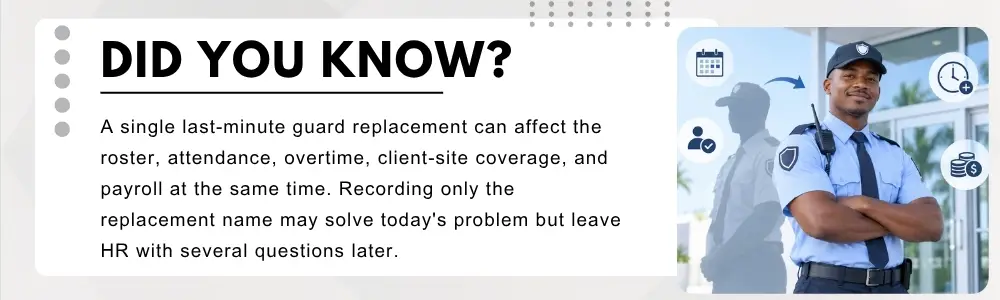
Imagine a night guard assigned to a warehouse calls in sick at 8:30 PM for a 10:00 PM shift. Operations finds another employee who can cover the post.
From the client's point of view, the problem may be solved. A guard will arrive. But from an HR and operations point of view, several records have changed.
- The original employee is now absent.
- Another employee is covering the shift.
- The replacement may work additional hours.
- The roster should show the new person.
Attendance should belong to the employee who actually worked.
Payroll may eventually need those same hours. That is why the replacement should not disappear inside a WhatsApp message or phone conversation.
A good security guard management software process should keep the replacement connected to the post that needed coverage.
When roster, shift, attendance, and employee information are centralized in HR Software, managers can compare where a guard was scheduled with what happened during the shift.
Schedule Shows Who Should Arrive. Attendance Shows Who Actually Did.
Once the shift begins, planning turns into verification. This is where many security businesses face another difficulty. An employee may record attendance, but security operations often need more information than simply:
Present: Yes or No
They may also need to know whether the employee reported to the correct client location.
A guard assigned to a warehouse should not appear successfully present if the attendance was recorded miles away from the assigned site.
That is why guard attendance software becomes more valuable when attendance can relate to the employee's assigned location. Geo Attendance can provide another layer of context.
Instead of only asking: Did the employee clock in?
Operations can also ask: Where did the employee clock in?
That distinction is important for a mobile workforce. The roster provides the planned assignment. The attendance record provides evidence of what happened.
When security workforce management software brings those pieces closer together, managers can identify mismatches sooner instead of discovering them days later.
Attendance Exceptions Need an Operational Response
Not every attendance issue means misconduct. Sometimes an employee is late because transport fails. Sometimes the assigned location was changed at short notice. Sometimes a supervisor moved a guard between nearby posts. Sometimes the replacement arrived after the original shift had already started.
That is why guard attendance software should support review rather than treating every difference as an automatic conclusion.
Suppose a guard was scheduled from 6:00 AM to 2:00 PM.
The employee actually arrived at 6:20 AM.
The person covering the previous shift stayed until 6:20 AM.
That creates two workforce records that operations may need to understand:
One employee worked longer than planned, another worked fewer minutes than scheduled.
If this information remains only in a supervisor's memory, payroll may never see the full picture. A connected system allows the attendance event to become part of the workforce record rather than an isolated timestamp.
Mobile Access Makes Sense When the Workforce Is Mobile
Security employees often spend almost their entire shift away from their employer's main office.
That changes how HR technology needs to work. An employee stationed at a client's property may need to check an upcoming shift without calling the office.
A supervisor visiting several sites may need to confirm attendance while travelling between locations. A guard may need to know that tomorrow's assignment has changed.
This makes mobile access especially relevant to security company HR software.
The point is not to move every HR activity onto a mobile screen. It is to make the information that matters during the working day available where the workforce actually is.
For example:
- A guard checks tomorrow's roster.
- A replacement receives an updated assignment.
- A supervisor confirms which employees are expected at a location.
- An employee records attendance from an authorized site.
These small interactions become much more useful when they are connected with the same employee and workforce records used by HR.
Employee Information Is the Record Behind Every Assignment
The roster may change every day. The employee record should provide continuity. A guard could work at Client A for several months, temporarily cover Client B, move permanently to Client C, and later become a site supervisor.
Those assignments tell part of the employee's working history. But the employee remains the same person.
This is why security company HR software still needs reliable Employee Information behind scheduling and attendance.
HR may need access to details such as the employee's role, status, contact information, reporting structure, work history, and other employment information maintained by the organization.
When the employee moves between sites, HR should not need to create disconnected records simply because the deployment changes.
The employee's history stays together while the operational assignments continue to change. That distinction becomes increasingly important as a security business grows.
Reporting Should Tell Managers What Is Happening by Site
Once scheduling and attendance information is connected, reporting becomes much more useful. Security businesses often need reports that answer operational questions such as:
- Which locations had the most absences?
- Which sites regularly required replacements?
- Where was overtime highest?
- Which posts are difficult to fill?
- How often did guards arrive late at a particular location?
- How much workforce time was used at each client site?
This is where security guard management software can provide more than daily scheduling. Location-based reporting can show patterns that individual attendance records may not reveal.
For example, repeated overtime at one site might indicate that the staffing level is too low. Frequent replacements at another location may suggest that the roster needs to be reviewed. Repeated attendance exceptions could point to a transport or scheduling problem rather than an individual employee issue.
The value of reporting is not simply having more data. It is helping operations understand where attention is needed.
HR and Operations Need the Same Workforce Story
Problems appear when every team has a different version of what happens. The roster says Guard A was assigned.
Attendance shows Guard B.
The supervisor knows that Guard B was the replacement.
Payroll still expects Guard A's hours.
The client only knows that someone eventually arrived.
Each record may contain part of the truth. The goal of security workforce management software is to make those pieces easier to connect.
Security staff scheduling software helps establish the plan. Guard attendance software helps show what happened.
Security guard management software helps operations follow deployment and coverage.
Security company HR software helps keep the wider employee record connected with those day-to-day workforce activities.
Together, they give HR and operations a more complete picture than any one record can provide by itself.
What Should Security Workforce Management Software Actually Help You See?
For a security company, the most useful system is not necessarily the one with the longest feature list. It is the one that helps answer the questions operations deals with every day.
- Who is posted at this client location?
- Which shift are they working on?
- Which posts are still uncovered?
- Did the employee report at the correct site?
- Who replaced an absent guard?
- How many hours were actually worked?
- Are those hours ready for payroll review?
- Which locations produce the most attendance exceptions or overtime?
That is what security workforce management software should bring together.
For security and facilities businesses, HR HUB can connect Employee Information, Roster and Shift Management, Attendance, Geo Attendance, Payroll, mobile access, and reporting around the same workforce.
Because when employees are working across dozens of client locations, simply knowing who is on the payroll is not enough.