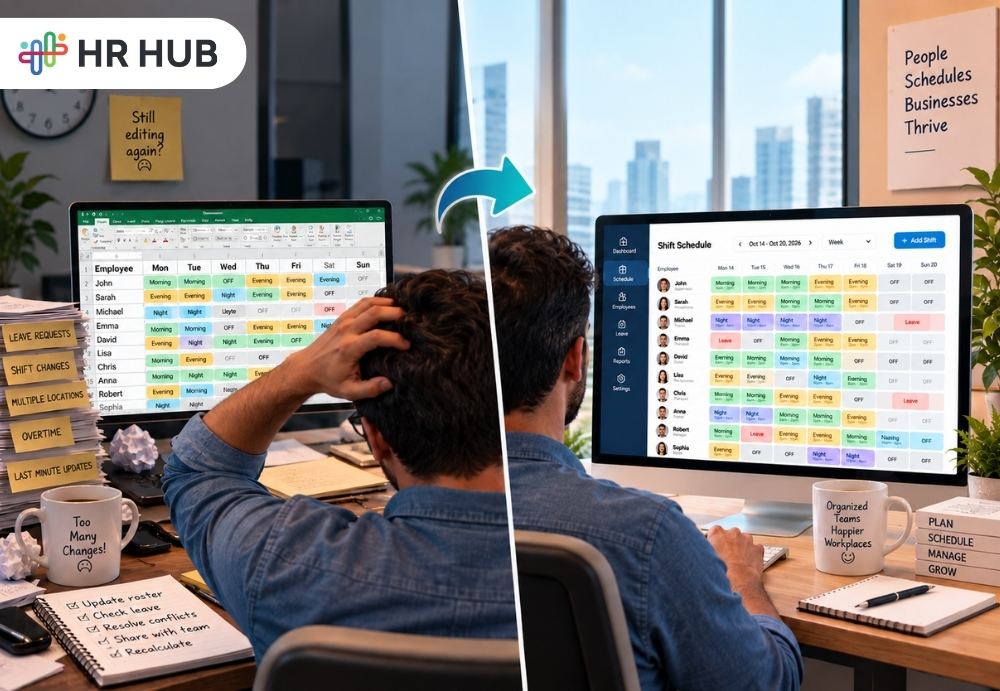
For many businesses, employee scheduling begins in the most familiar place possible: Excel.
It is simple, flexible, and easy to understand. A manager can open a spreadsheet, place employee names against Morning, Evening, or Night shifts, add weekly offs, and share the file with the team.
For a small workforce with fixed timings and very few changes, that approach can work perfectly well.
The difficulty begins when the roster stops being static.
A retail outlet adds weekend coverage. A hotel needs different staffing levels for breakfast, check-in, and evening service. A hospital has to maintain round-the-clock coverage. A security company rotates guards between several locations, while a manufacturing unit manages morning, evening, and night shifts across different production teams.
Then real life begins to affect the plan. Employees take leave, request swaps, change locations, arrive late, work overtime, or cover for someone who is absent.
Managers keep adjusting the roster, employees need the latest version, attendance has to understand the revised timing, and payroll may eventually depend on those working hours.
At that point, the spreadsheet is no longer simply a schedule. It has become a live operational document that several people and processes depend on.
This is where shift scheduling software starts to become useful. The goal is not to replace Excel just because software exists. The real value is creating a more reliable connection between who is scheduled to work, when and where they should work, what happens, and how that information affects attendance and payroll.
Why So Many Businesses Still Use Excel for Rosters
There is a good reason spreadsheets remain common in shift-based businesses.
They are familiar, inexpensive, and highly flexible. A manager does not need to learn about a new platform before creating a roster. If someone changes a shift, the cell can be edited immediately. If a new column is required, it can simply be added.
For a business with ten employees working predictable hours, this may be enough.
The challenge is that a roster can become complicated long before the company considers itself “large.”
A restaurant with 25 employees may have to manage breakfast, lunch, dinner, weekend rushes, weekly offs, part-time staff, and last-minute replacements. A security company may have fewer employees overall but still need to coordinate guards across multiple sites and different shift durations.
This is why the need for employee scheduling software is often driven more by complexity than by headcount.
The question is not simply, “How many employees do we have?”
It is, “How many scheduling variables do we have to manage every week?”
When the Roster Starts Carrying Too Much Information
A basic roster only needs to answer one question: who is working when?
A real-world roster often has to answer much more.
Managers may need to know which employee is assigned to which department, whether they are working at the correct location, whether they have a weekly off, whether leave has already been approved, and whether another assignment creates an overlap.
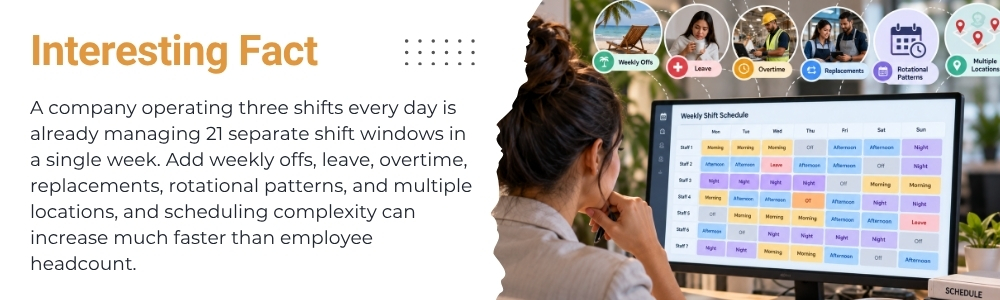
As operations grow, the schedule may also include fixed shifts, rotational patterns, special weekend coverage, temporary assignments, employee availability, split shifts, and different start times for different departments.
This is where staff scheduling software begins to offer more than a digital version of an Excel file.
The advantage is not simply making the roster look cleaner. The system can help organize the rules behind the schedule so that managers are not repeatedly checking the same information manually.
A good shift roster software process should make it easier to understand who is working, where they are working, when they are expected to report, and whether that assignment fits with the wider schedule.
Multiple Shifts Make Manual Rosters Harder to Maintain
Consider a manufacturing business operating three standard shifts:
Morning: 6:00 AM – 2:00 PM
Evening: 2:00 PM – 10:00 PM
Night: 10:00 PM – 6:00 AM
On paper, that looks straightforward. Now add the actual workforce.
One employee cannot work nights this week. Another is on approved leave. A supervisor is covering another unit. Two employees need their weekly off. Someone has agreed to swap Saturday with a colleague. Another employee is temporarily assigned to a second location. The spreadsheet can still be updated, but every change creates a new risk.
- Has the employee been informed?
- Was the replacement added correctly?
- Did the manager update the right version?
- Will attendance compare the employee against the revised shift?
- Could the same person accidentally be scheduled somewhere else at the same time?
This is where workforce scheduling software becomes more useful because the scheduling process is no longer isolated from everything else.
The real challenge is not creating the original roster. It is keeping that roster accurate as the week changes.
Rotational Shift Patterns Are Where Copy-Paste Becomes Risky
Fixed schedules are generally easier to manage because the same pattern repeats. Rotational schedules require much more attention. A security company may use a sequence such as:
Morning → Evening → Night → Off
A factory may rotate teams every seven days. A hospital may use different patterns depending on ward coverage. Hotels and restaurants may change staffing according to weekends, events, or expected occupancy.
In Excel, these patterns often involve copying previous weeks and then adjusting exceptions. That can work until one exception breaks the sequence.
An employee goes on leave.
The manager is changes one shift.
A replacement is assigned.
The following week is copied from the previous one without noticing the change. Now the roster looks complete, but the underlying rotation is no longer accurate.
This is one reason shift scheduling software is useful for businesses that rely heavily on repeated patterns. Instead of rebuilding the same schedule every week, HR or managers can work from predefined rotation structures and then make exceptions where necessary.
That is one of the clearest differences between a spreadsheet and shift roster software. One stores cells. The other can help manage the logic behind schedule.
Roster Is Only Useful If Employees See the Right Version
One of the most common scheduling problems is not actually building the roster. It is communicating changes after the roster has already been shared.
The manager updates Tuesday's shift.
An employee still has the screenshot from Monday.
Another employee is looking at an older Excel file shared in a WhatsApp group.
A printed copy near the staff room has not been updated.
Now everyone technically has a roster, but not everyone has the same roster. This is where employee scheduling software can make a meaningful difference.
Employees need access to the schedule that applies to them, especially in industries where teams do not sit at desks throughout the day.
Retail workers, nurses, hotel employees, factory operators, restaurant staff, and security personnel may not regularly check emails. They need a clear and accessible view of when they are expected to work.
For that reason, staff scheduling software is not just a manager's planning tool. It is also an employee communication tool.
Shift Changes Can Quickly Become Attendance Problems
Scheduling and attendance are closely connected, even when businesses manage them in separate systems.
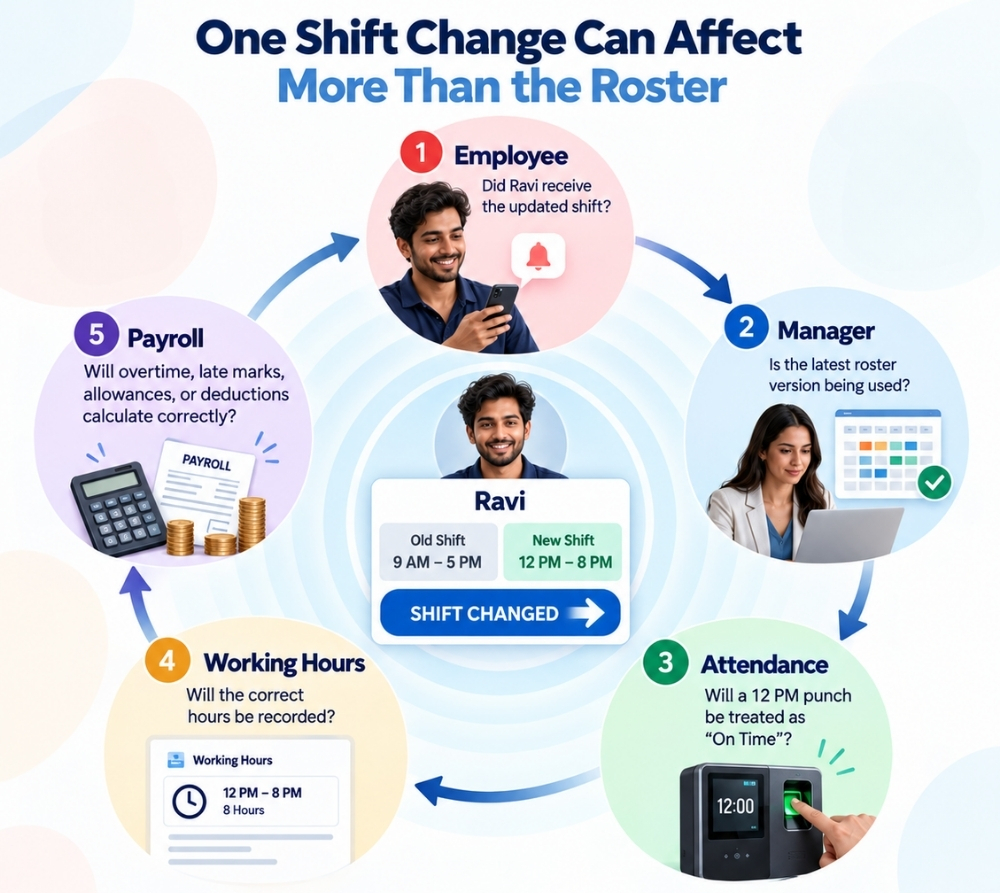
Suppose an employee was originally scheduled from 9:00 AM to 5:00 PM.
The manager later changes the shift from 12:00 PM to 8:00 PM.
The employee reports correctly at noon.
If attendance still compares the punch against the old 9:00 AM schedule, the employee may suddenly appear late or absent.
From the employee's perspective, they followed the roster.
From the attendance system's perspective, something went wrong.
HR then must investigate and correct an issue that was never really an attendance problem. It was a scheduling mismatch. This is where workforce scheduling software becomes especially valuable. When the assigned shift and attendance expectation stay aligned, fewer corrections are needed later.
A reliable roster should not stop telling an employee when to work. It should also provide the scheduling information that attendance needs to interpret the employee’s time correctly.
Attendance Errors Can Eventually Affect Payroll
The connection becomes even more important when attendance data feeds into payroll.
If the wrong shift is attached to an employee, the system may calculate the wrong working hours. That can affect areas such as payable hours, overtime, late arrivals, early departures, night-shift allowances, unpaid absence, holiday work, weekly-off work, or additional hours.
Imagine a manager roster shows that an employee worked the night shift, while attendance is still processing that employee against the evening shift.
Both records may look reasonable on their own.
Together, they may produce the wrong payroll result.
This is one of the strongest practical reasons for using shift scheduling software in businesses where shifts directly influence pay.
The real benefit is not only faster scheduling. It is reducing the need for HR to reconstruct what happened after an attendance or payroll discrepancy appears.
A connected employee scheduling software process gives payroll better context because the working schedule is already part of the wider workforce record.
Multiple Locations Add Another Layer of Complexity
Scheduling becomes even harder when employees can work across different sites.
A retail chain may share employees between stores. A healthcare group may operate several clinics. A security company may move guards between client locations. A hospitality group may temporarily transfer employees between properties.
Now the roster needs to answer two questions clearly:
When does this employee start work?
AND
Where is this employee working?
A spreadsheet can store both pieces of information, but checking for conflicts becomes harder as changes increase.
This is where shift roster software becomes more useful because the manager can see timing, location, employee availability, and assignments together.
A stronger workforce scheduling software process can also help reduce accidental overlaps where one employee is assigned to two places at the same time.
What Should Good Scheduling Software Actually Help With?
Businesses do not need software simply because spreadsheets are old.
They need it when scheduling becomes too manual to manage confidently.
Useful staff scheduling software should help make tasks such as these easier:
- Creating Multiple Shift Timings
- Assigning Employees To Shifts
- Building Weekly Schedules
- Managing Rotational Shift Patterns
- Handling Weekly Offs
- Making Temporary Shift Changes
- Distributing Schedules To Employees
- Reviewing Workforce Coverage
- Assigning Employees Across Locations
- Reducing Overlapping Assignments
- Connecting Assigned Shifts With Attendance
- Supporting Attendance information used in payroll
The key point is that shift roster software should reduce repeated administrative work rather than simply recreating an Excel sheet on another screen.
Managers should spend less time rebuilding rosters. Employees should have more clarity about their working schedule. HR should spend less time correcting mismatches later.
When Is It Time to Move Beyond Excel?
There is no fixed number of employees that determines when a business needs shift scheduling software.
A company with 100 employees working the same 9-to-5 schedule may have an easier scheduling job than a restaurant with 30 employees working rotating breakfast, lunch, dinner, weekend, and replacement shifts.
The better indicator is scheduling complexity.
It may be time to consider employee scheduling software when managers are maintaining several versions of the same roster, employees frequently ask which shift they are working, rotational schedules require repeated copy-paste work, or last-minute changes are difficult to communicate.
The same applies when employees move between locations, shift swaps become difficult to track, roster changes repeatedly create attendance mismatches, or HR regularly corrects payroll because shift information was incomplete or outdated.
At that point, workforce scheduling software is not simply a replacement for Excel. It is a way to give scheduling a better place inside the wider workforce process.
Good Roster Should Keep Working After It Is Published
The real test of any roster is not whether it looks perfect when the manager finishes it. The real test begins after the week starts.
- Someone takes a leave.
- Demand increases unexpectedly.
- Two employees exchange shifts.
- A replacement is assigned.
- A manager moves someone to another site.
- Attendance records begin coming in.
- The original plan changes.
- A spreadsheet can record the schedule.
A connected scheduling process can help manage what happens when the schedule changes.
That is the difference that becomes important as shift-based teams grow.
The real value of staff scheduling software is not simply placing employee names onto a calendar. It is helping maintain a clearer relationship between the original plan and what actually happens during the week.
In practice, the chain looks like this: Shift Plan → Employee Communication → Attendance → Worked Hours → Payroll
Once these processes start depending on one another, scheduling is no longer an isolated administrative task. It becomes part of workforce management.
To know more visit: Integrated HR Software for Workflow Automation & Efficiency
Build the Roster Once. Keep the Rest Connected With HR HUB
If managers are still rebuilding weekly schedules in Excel, sending screenshots after every change, and correcting attendance when roster updates are missed, the issue may no longer be the spreadsheet itself.
Scheduling may simply have become too connected with attendance and payroll to operate as a separate file.
HR HUB brings shift planning into the wider HR system through Shift Management and Shift Distribution, alongside Attendance and Payroll capabilities.
For hospitality, healthcare, retail, security, manufacturing, and other shift-based teams, a connected HR system can make it easier to manage changing rosters without losing track of the employees, attendance records, and payroll processes that depend on them.
The goal is simple: Spend less time maintaining the roster and more time making sure the right people are scheduled at the right time.